
Youtube Custom Playback
Unlock up to 16x speed with native-style controls
187 followers
Unlock up to 16x speed with native-style controls
187 followers
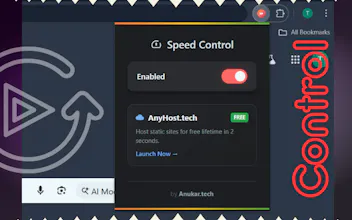
This lightweight extension adds granular playback speeds from 0.25x to 16x directly into your native settings menu. Perfect for power-learners who need to watch lots of lectures or analysts who need frame-by-frame precision.




I want to ask that this was built by someone who uses YouTube as a work tool, not just for entertainment. Small pain, solid solve.
@sadam_ansari2 This was definitely built for people who use YouTube as a productivity tool. Glad to see it's solving that pain point for you. ❤️
16x is unhinged and I respect it. Also pretty glad for a speed extension that doesn't make YouTube look like it got a face tattoo.. clean integration into native controls = the right call. Grabbing this
@jamespopstar Thanks, James! 🙌 keeping the UI clean was the hardest part to get right, so I really appreciate you saying that. We believe tools should enhance the experience, not cover it up. Hope the 16x speed serves you well.
16x speed? :D that's a different level. I noticed they introduced 4x. But not so sure how 16x... but... yeah, Gen Z probably needs that :D
@busmark_w_nika Not Gen Z, but regularly playing on faster speeds.... Is that this famous deterioration of our attention span and patience? :-D
@matt_rewo To be honest, I started watching some things at 2x pace, my brain is grilled :D This is what happens when you keep watching shortform.
@busmark_w_nika Thanks for the feedback! 16x is definitely geared toward power users and fast paced learnings. Glad you noticed the difference!🔥
@anukarop I think that 16x is more suitable for some very long videos on youtube, like 2 hours.
@busmark_w_nika Yeah, that's right!
Congrats on the launch! Love how this makes true 16x native-style control finally feel built-in for power learners and analysts.
@zeiki_yu Thanks for the support! ⚡ That built-in feel was our main goal for power learners. Glad you're find it useful!
Have tried 3X speed and lost track... congrats on the launch!
@david_chen37 Appreciate you trying it out and thanks!🔥
Great work on the 16x playback! If you could add a 'views per second' overlay (not sure if its feasible though), I think it would help users find the highlights instantly by sliding to the peak viewership segments.
@nick36_wu Great suggestion! Being able to see the viral moments on the timeline would be super useful. Thanks for the feedback!