
Launching today

WinClaw
Claw for Windows — double-click, install, done.
4 followers
Claw for Windows — double-click, install, done.
4 followers
OpenClaw, NanoClaw, MiniClaw... the Claw family is booming. But every single one requires npm, Docker, git clone, or a Mac. 75% of desktop users run Windows — and none of them were invited to the party. WinClaw changes that. An AI agent that lets you control your Windows PC with natural language — from your phone, by voice or text. No terminal. No command line. No tinkering. Just double-click the installer and start talking.
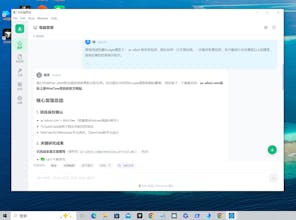

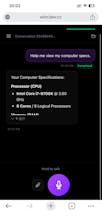



I’ve used OpenClaw and similar projects before — powerful, but usually terminal-heavy and not exactly friendly. WinClaw is a very different experience on Windows: native installer, full GUI, zero command-line friction. You can get it running in minutes.
What I didn’t expect is that the simplicity doesn’t mean it’s shallow. Under the hood it’s actually pretty deep. With the built-in tools and model flexibility, it quickly turns into a real productivity engine, not just a chat bot.
I set it up “just to test” and somehow my token usage started climbing again — which probably says more than any feature list could.