Go works inside Gmail, Slack, your docs, and your browser nudging better phrasing, drafting replies that sound like you, and prepping meetings before you think to. Add no-code agents that run on their own schedule. Free to start.
Superhuman Go lives inside the apps you already use - Gmail, Slack, docs, your browser, instead of a separate chat window.
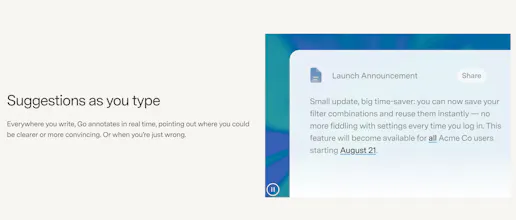
It suggests edits as you type, drafts email replies in your voice, and preps meeting agendas before you ask. No switching tabs, no re-explaining context each time.
What makes it different: it's proactive instead of prompt-based, and it's backed by Grammarly's 17-year writing engine rather than a new AI starting from scratch.
Key features:
Real-time suggestions as you type, across apps
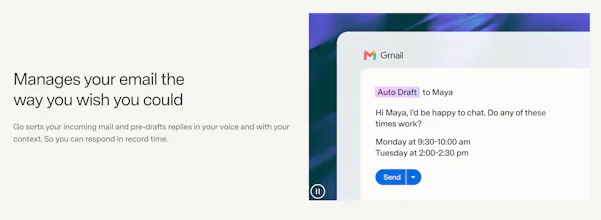
Pre-drafted email replies in your voice
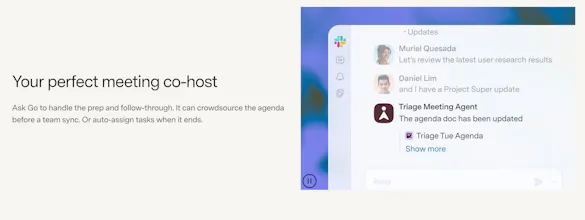
Meeting prep and follow-up (agendas, task assignment)
Custom no-code agents that trigger on a schedule or event
MCP connectors so suggestions are grounded in your real tools
Who it's for: anyone who wants AI help in the flow of their work, not in a separate window they have to remember to open.
@rohanrecommends How does it know my voice sound like me? Does it look at my old emails or do I gotta type stuff in?
Report
@rohanrecommends@hemendra_khatik same thing i'd want to know, but with a twist. i write a lot of the same kind of message every week, employer follow-ups mostly, in russian and in english. my russian ones are short and blunt, the english ones come out softer. when i tried a drafting tool trained on my sent folder it averaged the two and the english drafts read like a translated russian email. so does the voice profile get built per language from what you actually wrote in that language, or is it one voice that gets carried across?
Report
@rohanrecommends How well does it pick up your writing style when drafting email replies? Can you make changes to it over time?
Report
@rohanrecommends I like the focus on keeping context inside the tools people already use. That feels much more natural for everyday work.
"proactive instead of prompt-based" is the harder thing to get right though, a prompt-based tool only bothers you when you ask, a proactive one has to guess when its suggestion is actually welcome versus just noise you learn to ignore. real-time suggestions across apps sounds like it could get pretty noisy if it's firing on every keystroke in Slack the same way it would in a long email draft. is there a per-app or per-context tuning for how aggressive the suggestions are, or is it one sensitivity setting everywhere?



Superhuman Go lives inside the apps you already use - Gmail, Slack, docs, your browser, instead of a separate chat window.
It suggests edits as you type, drafts email replies in your voice, and preps meeting agendas before you ask. No switching tabs, no re-explaining context each time.
What makes it different: it's proactive instead of prompt-based, and it's backed by Grammarly's 17-year writing engine rather than a new AI starting from scratch.
Key features:
Real-time suggestions as you type, across apps
Pre-drafted email replies in your voice
Meeting prep and follow-up (agendas, task assignment)
Custom no-code agents that trigger on a schedule or event
MCP connectors so suggestions are grounded in your real tools
Who it's for: anyone who wants AI help in the flow of their work, not in a separate window they have to remember to open.
Try it superhuman.com/go
P.S. I hunt the latest and greatest launches in tech, SaaS and AI, follow to be notified → @rohanrecommends
Couch
@rohanrecommends How does it know my voice sound like me? Does it look at my old emails or do I gotta type stuff in?
@rohanrecommends @hemendra_khatik same thing i'd want to know, but with a twist. i write a lot of the same kind of message every week, employer follow-ups mostly, in russian and in english. my russian ones are short and blunt, the english ones come out softer. when i tried a drafting tool trained on my sent folder it averaged the two and the english drafts read like a translated russian email. so does the voice profile get built per language from what you actually wrote in that language, or is it one voice that gets carried across?
@rohanrecommends How well does it pick up your writing style when drafting email replies? Can you make changes to it over time?
@rohanrecommends I like the focus on keeping context inside the tools people already use. That feels much more natural for everyday work.
Pretty Prompt
Maybe @Pretty Prompt should work inside Superhuman Go!
Dial
"proactive instead of prompt-based" is the harder thing to get right though, a prompt-based tool only bothers you when you ask, a proactive one has to guess when its suggestion is actually welcome versus just noise you learn to ignore. real-time suggestions across apps sounds like it could get pretty noisy if it's firing on every keystroke in Slack the same way it would in a long email draft. is there a per-app or per-context tuning for how aggressive the suggestions are, or is it one sensitivity setting everywhere?