
PureBox.ai
Review-first AI cleanup for your real Gmail inbox.
154 followers
Review-first AI cleanup for your real Gmail inbox.
154 followers
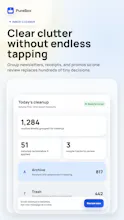
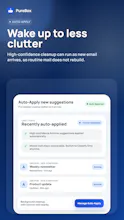
Most inbox tools make you build rules first. PureBox skips that - it's personalized from your first scan using AI and your own Gmail history (which senders you open, reply to, or let pile up), so suggestions fit your routine on day one. Every suggestion shows why, and nothing moves until you approve - no black box, no silent deletions. It surfaces what needs your attention, not just what to trash. Your data is never sold; Pro subscriptions fund it.






Free Options
Launch Team

CloudflareDeploy serverless functions globally in seconds
Promoted
@shaked_i Quick question: how does PureBox.ai handle edge cases like important automated emails that look similar to promos or newsletters? I’d love to hear what protections you’ve added so those never get mistakenly archived or trashed.
@swati_paliwal Great question. PureBox uses layered checks to recognize potentially important messages, including account and time-sensitive updates. When uncertain, it takes the cautious path. Cleanup is review-first, so you see and approve every recommendation before anything moves.
Try the free scan first - it lets you see what PureBox recommends and decide what to apply.
If you upgrade, PureBox scans your full inbox, and you still keep final approval before anything is applied.
Review-first is the right call. Most inbox AI I've tried loses my trust the first time it quietly archives something that actually mattered. How do you handle the gray-zone stuff, like a cold pitch that's genuinely relevant versus noise? Is the review queue learning per-user, or are the rules more global at the start?
@artem_fedorovich That trust concern is exactly why PureBox is review-first. It considers your interaction history with each sender - whether you typically open, reply to, archive, or trash their messages. That means the same cold pitch can be relevant for you and noise for someone else.
Suggestions must pass confidence and safety checks, and you see the reasoning before applying anything. Uncertain classifications aren’t surfaced as actionable suggestions.
Personalization starts with your existing Gmail habits from the first scan.
Try the free scan first - it lets you see what PureBox recommends and decide what to apply.
If you upgrade, PureBox scans your full inbox, and you still keep final approval before anything is applied.
Shaked, the origin story is the strongest part of this page, and review-first reads like a decision you made for yourself rather than for the launch.
One case nobody raised: a small clinic inbox is full of patients writing about symptoms and lab results, so your first scan is processing regulated data. The question there is not retention (Chalermpon and Gal already covered that one), it is who counts as the processor. That inbox owner needs a signed agreement covering you and whichever model provider you call, otherwise they cannot connect at all.
Is the provider behind the sorting one you could sign that with? Solo therapists have the worst inboxes I have seen and almost no tool they are allowed to touch.
the 30 day trash grace period is a smart touch, most people won't trust an AI email tool until there's a real undo. one thing I'm curious about - once something gets filed to Archive, does it stay just as searchable as normal gmail archive, or does the LLM sorting change how findable stuff like old invoices/contracts is later?
@omri_ben_shoham1 Yes - Archive works exactly like normal Gmail archive. PureBox simply removes the Inbox label. The email remains in All Mail and stays searchable in Gmail by sender, subject, keywords, dates, attachments, and the usual search operators.
The LLM only determines which action to suggest. It doesn’t rewrite the message or change Gmail’s search index, so invoices, contracts, and other records remain just as findable. You can also move any archived message back to the inbox directly from Gmail.
@shaked_i Congrats on the launch! Since this is scoped to Gmail right now, is multiple account support on the roadmap, like handling a personal and a work inbox in one place?
@clement_avq Great questions, PureBox currently supports one Gmail account per profile. Multiple inbox support, such as managing personal and work Gmail accounts together, is on the roadmap. For now each inbox would need to be managed through a separate PureBox profile.
If you're satisfied with the classification quality and that's the only thing holding you back from subscribing, please let me know.
@chuck_purebox Thanks for the roadmap update! Actually multiple accounts would be the main blocker for me day to day. Haven't run the classification side long enough yet to have an opinion on quality though!
The review-first approach makes sense for rebuilding trust. How does PureBox handle borderline emails when its confidence is low, and does it learn from approvals or corrections over time?
I honestly have around 5k of unread emails, but I like the fact that nothing gets deleted automatically. How long did it take before you were comfortable relying on your own product?