Turn recordings into subtitles, translate SRT/VTT files, and export readable transcripts on your Mac. Polyglot keeps media and AI processing local, with editing, bilingual exports, batch translation, video enhancement and compression in one native app. Try unlimited transcription and translation for 7 days without an account. Pro is €29.99 once; editing, conversion, exports and video tools stay free. For Apple Silicon, macOS 14.4+.
We use Vercel deployments and Vercel Functions to bring Polyglot, a native Mac app, to its users. Vercel hosts getpolyglot.io, with production deployments connected to our GitHub repository.
A Vercel Function powers the permanent /download link: it reads and validates the latest release manifest, then redirects to the exact versioned installer in Supabase Storage. That lets us ship app updates without rebuilding the website or changing the download link.
As a solo maker, this gives me a managed web and distribution layer while I focus on the Mac experience. It shaped a clear boundary in the product: Vercel handles discovery and the download handoff; transcription, translation and video enhancement run on the user's Mac. Users can process local files offline after downloading the required models.
Hi Product Hunt! I'm Dylan, the maker of Polyglot.
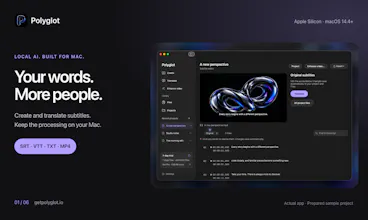
Polyglot brings subtitle and video preparation into one native Mac app, with the processing on your own device. It's built for the recordings you want to make more useful: a course, an interview, a product demo or a film.
Here's what you can do:
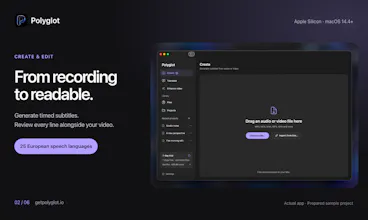
• Create timed subtitles from audio or video.
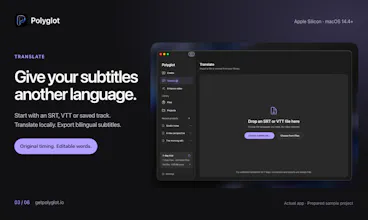
• Translate existing SRT/VTT files, review the wording and export bilingual subtitles.
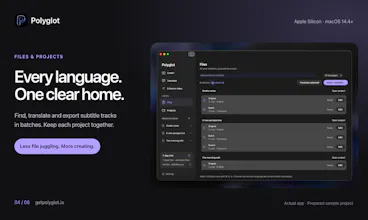
• Keep originals and translations together in Files & Projects, with batch translation and export.
• Convert subtitle formats, adjust timing and export readable transcripts.
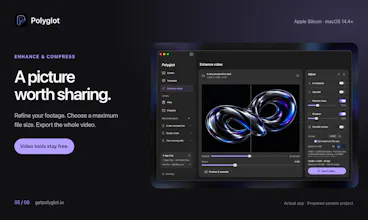
• Enhance footage or compress the full video to a checked maximum file size.
Transcription, translation and video enhancement run locally. After the required models are downloaded, you can process local files offline. Model downloads, video-link imports, licensing and update checks use the internet.
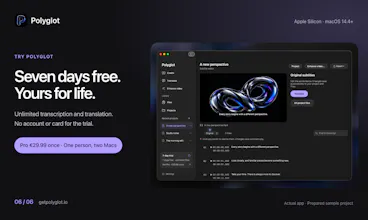
Try unlimited transcription and translation for seven days, starting with your first processing job. No account or card needed. Pro is €29.99 once for one person on two Macs. Editing, conversion, text export, timing adjustments and video tools stay free.
You'll need an Apple Silicon Mac on macOS 14.4 or later. Speech recognition supports 25 European languages; translation languages are selected separately. AI output is editable so you can review it before sharing.
I'd love to hear what you work with: which subtitle or video task takes you the most time today?


Perspective
Perspective