
OpenWhispr
100% local open source AI speech-to-text model
258 followers
100% local open source AI speech-to-text model
258 followers
Turn your voice into formatted text. It's open source and runs 100% locally. 3-5x faster than typing, and especially helpful when prompting LLMs, writing emails and sending texts. Pick your preferred model, and even edit the system prompt. Take full control.
This is the 2nd launch from OpenWhispr. View more

OpenWhispr for iOS
Launching today
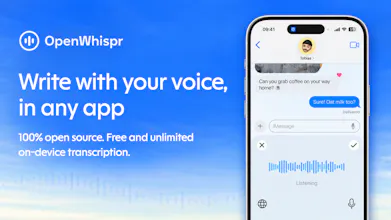
100% open source, with local models that run on your iPhone or iPad. Transcribe on-device for free, without usage limits, an account or a subscription. Speak your reply, draft an email or capture an idea without uploading your audio for transcription. Download a model once and transcribe offline. Choose optional cloud processing or bring your own API key.





Free
Launch Team / Built With


Customer.ioAutomate Messaging Everywhere — Startups Get 12 Months Free
Promoted

Hey Product Hunt — Josh from OpenWhispr here 👋
OpenWhispr is on iPhone and iPad, and today we’re bringing it to Product Hunt.
It’s 100% open source, with local models that let you transcribe on your device for free, without usage limits or an account.
Right now, you can:
• Write with your voice in any app
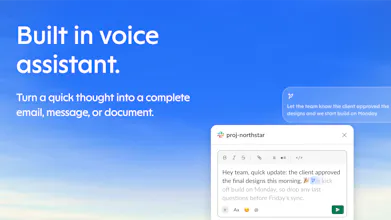
• Draft messages with your voice assistant
• Adjust your writing’s tone to match your vibe
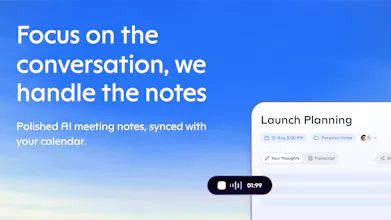
• Record and transcribe conversations
• Sync your notes with desktop on Pro
• Choose on-device transcription, OpenWhispr Cloud or your own API key for supported workflows
Already on Pro? Just sign in. Mobile is included. On-device transcription stays free and unlimited; the voice assistant uses Cloud or your own API key.
For the developers here: on-device transcription uses NVIDIA’s Parakeet through FluidAudio and Apple’s Core ML and Neural Engine, plus OpenAI’s Whisper through whisper.rn/whisper.cpp. The app chooses the engine based on your selected languages and downloaded models.
Speaker labeling runs locally too. Saved voice profiles help recognise familiar speakers across recordings: strong matches get a name automatically, while uncertain matches become suggestions you can confirm. The profiles and matching stay on your device.
Give it a try and tell us what works, what doesn’t, or what you’d like us to add. We’re here to improve it with you.
Thanks for being early,
Josh and the OpenWhispr team
Loving this, what model would you suggest for best accuracy on M4 Max chip machine but without having to start noisy fans
@suki_buildz Thanks Suki! On an M4 Max I'd run:
Dictation: Cohere Transcribe 2B, our most accurate local model. Pick your language instead of Auto, because Auto means English. If you want something lighter, Orukeet is close behind.
For meetings: I would use the same Cohere model, and pick your meeting language before you record. For long recordings you can try Parakeet Unified EN (or Orukeet for other European languages).
Cleanup + voice assistant: Gemma 4 26B MoE, with "Keep model loaded" on. Use the same model in every tab.
Ive been using Openwhispr a lot on my linux and I absolutely love it, excited to see it come to my Iphone!!
@anas_chhilif love to here it! Give it a try and let me know what you think :)
Josh, leaving uncertain speaker matches for someone to confirm is a nice detail. A wrong name in a transcript can be harder to notice than a wrong word. Congrats on the iOS launch!
@oleksii_sekundant Appreciate it! Let me know if you need any help setting it up!
Ooh, does this work if you switch languages mid-sentence?
Congrats on the iOS launch, Josh! Nice to be launching alongside you today. We're launching Benson too: https://www.producthunt.com/products/benson-2. Would appreciate a comment or some support if you've got time today. Hope it's a great launch day!