
Notta Desktop - Privacy Mode
Offline AI meeting notes with unlimited transcription
87 followers
Offline AI meeting notes with unlimited transcription
87 followers
Record and transcribe private meetings locally with Notta Desktop. Privacy Mode keeps audio, transcripts, and meeting notes on your computer, with offline transcription and no cloud processing. Try it free for 7 days. No credit card required.




Hey Product Hunt 👋
I’m Daniel, and I’ve been building Notta for the past 6 years.
In that time, we’ve seen meeting transcription become part of everyday work. But we’ve also heard the same concern from many users: they want AI meeting notes, but not every conversation should be sent to the cloud.
That’s why we built Notta Desktop!
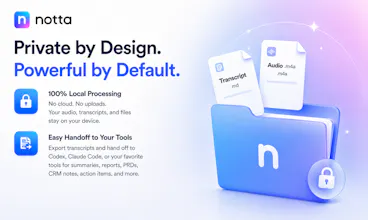
With Privacy Mode, Notta Desktop records and transcribes meetings locally on your computer.
🔒 No network required.
☁️ No cloud processing.
💻 Your audio, transcripts, notes, and related files stay on your device.
The biggest benefit is not just privacy. It is freedom from transcription limits.
Because transcription runs locally instead of through cloud infrastructure, Notta Desktop can support unlimited local transcription and note-taking. You can record long meetings, frequent calls, interviews, internal discussions, and sensitive conversations without worrying about cloud-minute limits.
Notta Desktop works for both in-person and online meetings. It can capture system audio directly, so you can record Zoom, Google Meet, Teams, Slack, Webex, and other calls without inviting a meeting bot.
🤖 No awkward bot in the room.
👥 No participant list clutter.
⚡ No extra setup for attendees.
Notta Desktop offers two local transcription options depending on your device and language needs: a Notta offline model for English, Japanese, Simplified Chinese, and Cantonese, and Apple Speech Analyzer on macOS 26+ for 11 supported languages: English, Japanese, Korean, German, French, Spanish, Italian, Portuguese, Cantonese, Simplified Chinese and Traditional Chinese.
🚀 Because everything is saved locally, your transcripts are also easy to use in follow-up workflows with tools like Codex or Claude Code: summaries, reports, PRDs, CRM notes, action items, or any custom workflow you want to build.
We made this for customer calls, legal reviews, financial discussions, internal strategy meetings, research interviews, and any conversation where privacy, control, and unlimited transcription matter.
Would love your feedback: where would offline, unlimited meeting transcription fit into your workflow?
@danielwayne love the no bot approach. does it use a local VAD to handle silences or is it transcribing continuously?
Local-only transcription is the right call — 'not every conversation should hit the cloud' is exactly why I've avoided the hosted notetakers. Practically: is the speech model bundled and running fully on-device, so Privacy Mode still transcribes on a plane with wifi off, or is it local storage with processing that still reaches out? And if I later turn on a cloud feature like summaries, is that an explicit per-note opt-in, or does enabling it re-route everything through the cloud by default?
@hi_i_am_mimo Hi Valeria, yes — in Privacy Mode, transcription runs fully on-device. Once the offline speech model is installed, you can turn off Wi-Fi, be on a plane, and still record and transcribe locally.
We also intentionally separate Privacy Mode from cloud features. Turning on a cloud feature does not automatically sync or re-route your local recordings/transcripts to the cloud. Your local data remains invisible to the cloud workspace by default.
If you want cloud processing later, it has to be an explicit action: you would need to manually upload the audio to the cloud, or manually send the local transcript to an LLM for summary. We designed it this way for safety and control.
@danielwayne This is interesting. I’ve always felt AI transcription tools are useful, but privacy is the part that makes me hesitate, especially for internal meetings or sensitive client calls.
A desktop-first, more private workflow makes a lot of sense. Curious how much can run locally today, and where the line is between local processing and cloud features.
Congrats on the launch. Will be following this one.
@tj_eof Hi TJ, Privacy Mode currently supports core local workflows, including offline transcription and downloading/exporting files. Cloud mode provides more AI-powered features, such as AI summaries and Ask AI.
In the future, we’ll also consider supporting local models for summaries. Feel free to give it a try!
Awesome solution! Could you please list the minimum specs required for the offline mode? I'm guessing you're launching a local MLX model?
@artk Thanks, Artur! Notta Desktop currently offers two local transcription engines for offline mode:
Offline Transcription Model
Minimum specs: 1.0 GB model size, 4 GB RAM, and 2 CPU cores.
Supported languages: Simplified Chinese, Cantonese, English, and Japanese.
Apple Speech Analyzer
Minimum specs: 27.3 MB model size, 1 GB RAM, and 2 CPU cores.
Supported on macOS 26+ with 11 languages: Simplified Chinese, English, Japanese, Korean, German, French, Spanish, Italian, Portuguese, Cantonese, and Traditional Chinese.
So yes, the transcription runs locally on the device. For Apple devices, we also support Apple Speech Analyzer where available.
@danielwayne wow, that'll run everywhere, even phones and won't impact performance at all, great! To be honest I expected requirements that would limit offline only to high end tech.
The unlimited local transcription is the part that genuinely matters to me — cloud-minute caps are exactly why I stop trusting a tool for long interviews and back-to-back calls, so removing that ceiling is a real unlock. Two specific questions beyond the local-vs-cloud split TJ already asked: does the offline model handle speaker diarization locally, or does that still fall back to cloud? And what can I export the local transcript and notes to — is Markdown one of the formats, so it drops cleanly into a notes vault? Good to see privacy shipped as the default instead of an upsell. Congrats on the launch.
@hung_tran_from_notebook_os Thank you — unlimited local transcription is exactly what we wanted to unlock for long interviews and back-to-back calls.
In Privacy Mode, speaker diarization is handled offline as well, so it doesn’t fall back to the cloud for that. You can also download the local transcript as a TXT file today.
Markdown export is a great point for notes-vault workflows, and we’ll definitely keep that in mind.
Really appreciate the thoughtful questions and the support.
Congratulations on the launch! The no-bot, on-device approach is genuinely useful for sensitive calls. In Privacy Mode, does the app make any network calls at all (for example: telemetry, analytics, licence checks) or is it completely zero outbound traffic while offline?
@alieksia Thank you! In Privacy Mode, your meeting audio and transcripts stay on your device and are not sent to the cloud. During offline transcription, the app does not make any telemetry, analytics, or other outbound network calls.
The only network dependency is license validation, which happens periodically, roughly once a month. Once validated, you can use Privacy Mode offline for at least a month with no outbound traffic during offline use.
@danielwayne Thank you for the clear answer. That makes it something I'd trust for sensitive calls.
"no awkward bot in the room" is a real selling point, half the resistance to recording client calls is the third participant named Notta Bot making everyone perform
capturing system audio directly is the right call. checking this out for client calls where the conversation can't leave the machine
@yarslav Exactly — that “Notta Bot joined the meeting” moment can really change how people talk.
That’s why we built Notta Desktop to capture system audio directly, without adding a bot to the call. And with Privacy Mode, sensitive conversations can be transcribed locally and kept on your own machine.
Would love to hear how it works for your client calls.