
Nota: AI Notes & Voice
Turn voice, scans, sketches, and text into notes with AI
52 followers
Turn voice, scans, sketches, and text into notes with AI
52 followers
Most notes apps make you choose: a clean writer (Apple Notes), a heavy database (Notion), or yet another AI chatbot. Nota is none of those. Capture by voice, type, sketch, or scan on iPhone, iPad, Mac, and Apple Watch...then refine with AI right inside the note. Talk in 45 languages, scan any page without the ChatGPT detour, pick your model (OpenAI, Claude, Gemini, Grok and more). Fast, local-first, private. Not a chatbot — it starts with your words. Free to start.




OMEGA Ω™
Hey Product Hunt 👋
Confession: I've lost more good ideas in the shower, on walks, and halfway out of meetings than I'll ever admit. The thought always arrives at the exact worst moment to type. So I built Nota...to catch the idea before it escapes, then actually help you do something with it.
One breath: speak it, type it, sketch it, or scan it...then let AI shape it. On iPhone, iPad, Mac, and Apple Watch.
A few things we're weirdly proud of:
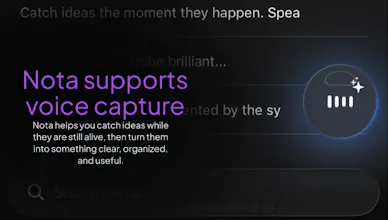
🎙️ Talk instead of type. Record a brain dump, even from your Apple Watch mid-run — and get it transcribed in 45 languages.
📸 Stop emailing photos to ChatGPT to read text. Scan any page, receipt, whiteboard, sign, or business card in any language and the words land in your notes instantly — searchable, editable, yours.
✏️ Your messiest scribble can still become a masterpiece. Highlight it, tap a Quick Action - Cleanup, Expand, Professional, Genius, Summarize. Done!
🤖 Nota is not a chatbot. (Yes, that's the name.) It starts with your words. AI shows up only when you ask, and on Pro, you pick the brain: OpenAI, Claude, or Gemini.
💎 Liquid-glass UI, custom themes, a floating Apple-Music-style audio player, and even live HTML preview for the tinkerers.
Free to start with unlimited local notes. Pro adds sync, collaboration, exports, and the good models.
Built in Tokyo for anyone who thinks faster than a blank page can keep up. Genuinely want your feedback, feature requests, and your worst handwriting to stress-test the scanner. 🙏
What's the last idea you lost because you couldn't write it down fast enough?
Product Hunt
OMEGA Ω™
@curiouskitty Hi CK 👋🏽 thanks for asking.
Record to auto-transcribe from any iOS device, including your Apple Watch which automatically send the recoding and full note to your phone. Getting used to that is difficult to live without after. I find myself leaving short “reminder” type of notes, simply so I don’t forget some random idea I had.
Simply having AI inside the actual note area. Some people might start with a prompt to AI to do something, but the real and best use case is being able to select a paragraph or sentence (any excerpt or snippet) inside the note, then the copy and paste menu opens starting with “✨Edit” — When tapped you can have AI do something specific with the text you selected. It can append (default) or replace that part of the note with the output from you prompt. Not needing to copy text to take it outside for ChatGPT, Gemini, or Claude to work on it…you have those models directly inside.
The multi-modal capture (voice, sketch, scan) is genuinely useful but what does the AI do with notes after you capture them? Does it help you resurface things at the right moment, or is it mostly just reformatting on input?
OMEGA Ω™
@campixl The AI can do anything you want with it. Same as the chatbots we all use, except it’s not a chatbot because it works alongside you inside the note. So yes it can do reformatting if you wish. The AI panel has pre-set action buttons that are useful, as well. And since you mentioned it, the next version coming out soon has an AI agent (Nota Assistant) inside of the notes app that will analyze all of your notes, understanding it’s complete context, and suggest things to help you stay more organized, offer to rewrite something, or propose tagging notes that have similar themes.
The multi-modal capture is such a smart idea, so many notes apps forget that not every thought arrives as text.
OMEGA Ω™
@hassan_khan89 thank you very much and yes that’s very true. That’s why I also included the ability to not only type notes, but also have drawing tools inside.
Clade
Looks cool buddy. Good luck with your product!
OMEGA Ω™
@rahman_bazarov_ thank you so much! Your support is greatly appreciated. If you haven’t already, please download the app and let me know your thoughts. And if you have any features that your current note app uses that don’t exist yet maybe we can build them in