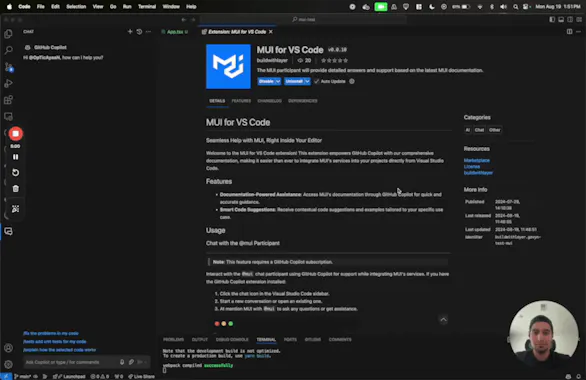
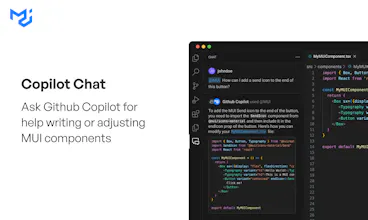
Chat with an AI expert on MUI without ever leaving VS Code. Simply type "@mui" into GitHub Copilot and get high-quality answers with references to the most up-to-date MUI documentation.
Hey there!
I'm Ayaan, and I accidentally became a software engineer. It wasn’t exactly in my life plan, but here we are! My coding journey started in a pretty roundabout way. I began as a UX designer at CAMP Systems International, where my main task was to make dashboards look pretty. At that point, I hadn’t written much code, besides messing around with Webflow to build websites. I knew just enough about HTML and CSS to be dangerous, but that was about it.
A few years back, I started contracting with another company, doing the usual design work—pamphlets, websites, logos, you name it. But then, they threw me a curveball: "Hey, can you help us develop some UI components in React?" At this point, I hadn't done much programming, so my initial reaction was a mix of panic and "Are you sure you want me to do this?" But they were fans of my work and insisted I give it a shot.
My Project
The project had a straightforward tech stack: a dashboard built with MUI, React, and Redux. React was relatively easy to pick up because of its similarity to HTML, but MUI and Redux? They were brutal. Redux was a conceptual beast with its reducers, middleware, thunks, and whatnot. And MUI? It felt like every time I built something, I’d discover MUI already had a component for it. The sheer size of the library was overwhelming—until I stumbled upon my new best friend: Copilot.
Copilot
About a year ago—one year into my accidental software engineering career—a friend suggested I try GitHub Copilot. At first, it was magical. I’d ask it to write code, and It would just do it all for me. For a few days, I felt like the most productive person on the planet. But then the new-toy effect wore off, and I realized Copilot wasn’t perfect. For MUI, which had become my go-to library, it often used outdated documentation
Context is Key
It’s clear why Copilot struggles—it simply doesn't have the context to answer properly. There are solutions out there that try to tackle this issue. Products like Phind, SearchGPT, and Perplexity attempt to solve the problem by indexing the internet, doing retrieval using a vector database, and feeding that as context to the LLM. These solutions often perform better than a raw LLM, but they still have issues like outdated documentation and irrelevant context retrieval.
I’d like to propose a slightly different approach. Instead of piecemealing together an image of a product based on internet queries, why not provide a quality knowledge repository to pull from? In this repository, documentation, GitHub issues, GitHub repositories, code examples, and more should be easily searchable. Here’s my best attempt at making that happen for MUI.
MUI Copilot Extension
As a prolific MUI user, I decided to create a VSCode Chat participant for GitHub Copilot. This participant has indexed MUI's documentation and example repositories, and it can be used directly in VSCode with a GitHub Copilot subscription. I’m still figuring out how to allow everyone to contribute to this, but I’m excited for people to try out this RAG system. Hope you enjoy!
@nishkarsh_srivastava Thanks! I've considered branching out to other well-known projects, but being an avid MUI user, I found this a good starting point. Would love to hear your recommendations on what projects to cover next, though!
Report
This is an awesome idea! Gonna install this right now...
Love the concept, Ayaan! 🎉 Merging MUI and Copilot sounds like a game changer for devs lost in the sea of documentation. Your journey from UX to coding is super inspiring—proof that with a little curiosity (and some panic), we can all become accidental software engineers! Excited to test this extension out and see how it stacks against the traditional search methods. Upvoted!
This is an awesome initiative, Ayaan! Integrating MUI documentation directly into VS Code with Copilot is a game-changer for developers. It’s crucial to have real-time access to reliable resources, especially when working with complex libraries like MUI. I totally relate to your journey of shifting from UX design to coding—it's definitely a wild ride, but you've made it an exciting project with the MUI Copilot Extension. Looking forward to testing it out and seeing how it enhances the dev experience! Keep it up!



MUI for VS Code
Cortex
MUI for VS Code
MUI for VS Code
Startup Death Clock
MUI for VS Code
MUI for VS Code
Ruby
MUI for VS Code