Meetmonic provides you a bookmark safe custom URL and landing page to greet your guests, ask questions, and redirect them to zoom, google meet or another web meeting, which you can update at any time. Giving you the flexibility to determine where to meet.
Can’t edit the contents of meeting pages after signup. Went to dashboard, clicked edit, won’t let me edit the standard text from the template :/
Report
Maker
@graham_seymour Ill take a look shortly! thank you for the heads up
Report
Thanks for sharing this product 🙏. Sounds promising. Exciting times ahead 👍! Happy to support you during and after the launch ❤️.
Report
Maker
@naveed_rehman I appreciate it very much, thank you for your support!
Report
Maker
👋 Everyone.
I'm happy to share Meetmonic with you.
As someone who uses zoom, google meet, and the like on a daily basis, I found invite links quite annoying. Having to constantly fetch my zoom link URL, put it into a google calendar invite, or share it on slack or email is not how I like to start my days.
Or worst, when there are days zoom refuses to work properly, having to update the meeting invite last minute or ask my guests to change platforms is a hassle. Keeping regular meetings means holding onto several bookmarks that may or may not work. Overall, things were less than ideal.
I was looking for a way to make my meeting URLs branded, but not tied to any platform. I wanted control over who can access my links, decide when I was available, and more importantly, something I can give to a guest and not need to worry about updating later.
And as a bonus, for my consultancy work, if I can get some basic Q&A as a meeting prep that would be fantastic.
Now....
I could just create a landing page, buy a domain, wire up some API's, and create some forwarding logic for myself, or.... I can provide the same solution for the entire community.
So I present to you Meetmonic. (awaits thunderous applause)
What I hope is that Meetmonic serves more than just a custom URL for your zoom calls. But also gives you a chance to make a first impression and help you meet people like they are in your office and not just on your screen.
So I set to add more features than just a custom URL, here are some additional features Meetmonic provides:
🧑💻 Provide a greeting or instructions to your guests - Whether you choose to say hello or provide context, you can prepare your guest to kick off your meeting on the right foot.
💬 Ask questions before your meeting - this allows you to get the require info you need during your meeting
🦄 Change your meeting destination - Easily change from zoom to google meet, or update passwords without having to update your meeting link.
🚫 Disable/Enable your link at any time - Keep office hours and only be online when you choose.
🛩 Direct access - Skip the intros and get straight into the call.
🔑 Password protect - Platform agnostic password protection for your meetings.
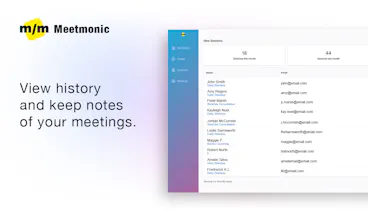
📝 Keep notes and history - Know who you met, when you met, and keep notes from the meeting in one place.
Love love for you to try Meetmonic, and let me know what you think!
Take care, love you all!
Report
I think the idea is as genius as simple. I will definitely try to use it from now on.
Report
Maker
@tobbe_norman thank you so much! Hope you enjoy the app, let me know if there's anything I can improve!




Legacies.RIP MVP