Friendware

Friendware

Tab-to-complete everywhere on MacOS

215 followers

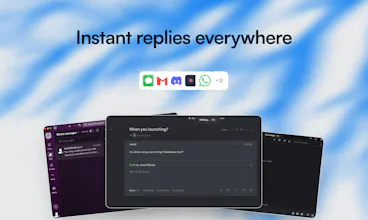
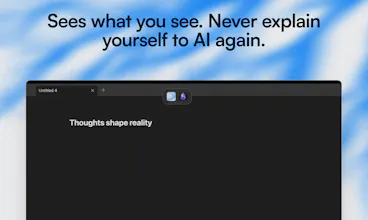
Friendware is not only a tab to complete everywhere. It’s a new paradigm of the proactive AI. The death of context switching, explaining yourself to and AI, and copy and pasting
Friendware gallery image
Launch Team / Built With
Migma AI
Migma AI
Lovable for Email
Promoted

What do you think? …

Jared Stivala
Hey PH fam 👋 Jared here - founder of Friendware. Like many of you, I love using AI to save time… but I kept hitting the same wall constant context-switching, copy/paste, re-explaining myself. So I built Friendware. 🚀 What it is An AI that stays with you everywhere, understands what’s on your screen, and helps you act instantly - just press Tab. ⸻ 🎉 Founding Member Cohort is now open We’re opening lifetime access to a small group of early users who want to actively shape the roadmap. Founding members get: • 🔒 Lifetime access • 💬 Private Discord with direct access to me • 🤝 1:1 onboarding so Friendware is personalized to you • 🧠 Real influence on what we build next ⸻ If you live in your keyboard and feel AI should be faster than it is today, I’d love your feedback. 👉 Check it out: friendware.ai Happy to answer any questions below 👇
Jared Stivala

Hey - Quick clarification based on a few DMs I’ve gotten:

Friendware isn’t a chatbot, you don’t “go to” it.

It stays with you and activates only when you press Tab, using what’s already on your screen as context.

So instead of:

open AI → explain → copy → paste

It’s:

pause → Tab → done

Curious where people here find most annoying about their current AI workflow. Where does it break flow for you?

Noah Hug
@jaredsuniverse thanks for clarifying! Would it be possible to post a video with an extended walkthrough? Congrats in the launch and all the best!
Jared Stivala

@basicpixel Yes I'll definitely do that, thanks!

yama

The screen context understanding is interesting. For text-heavy workflows like documentation or research, does Friendware handle visual elements (screenshots, diagrams) or is it primarily text-based context?

Jared Stivala

@yamamoto7 Hey thanks! So right now its optimized for text-based context to prioritize speed and limit the amount of noise it picks up. Is there a particular workflow you have in mind in relation to documentation / research ?

yama

@jaredsuniverse Makes sense to prioritize speed. I'm thinking about cases like reading API docs or research papers where you need to reference code snippets while writing - the text-based approach should work well for that.

Jared Stivala

@yamamoto7 ah I see! Yes, soon it will be very tailored to the individual user via self learning so that way it can just pick on those patterns you might have like reading papers and referencing code snippets.

Shreyas Adiyodi

Congrats on the launch, @jaredsuniverse 🚀 I've been researching the system-wide AI assistant space and put together this analysis.

Friendware has an interesting UX for the screen-aware context approach. What do you think of https://wisprflow.ai/

Voice-first dictation approach, would that be more common than a text-based approach eventually?

Jared Stivala

@shreyas_adiyodi Voice-first will definitely grow, but I think text-based stays dominant for a while. People use voice when their hands are full or they're on the go, but for detailed work or in shared spaces, typing is still the default. Friendware's screen-aware approach is smart because it adapts to whatever the user naturally reaches for in that moment.

Also, that analysis is awesome. Howd you make it, all LLMs?

Abdalmohsen Al Tulaihi

Nice app, but isn’t this essentially a 50% chance of getting the right answer in many real-world cases? For example, if the email is to confirm a specific meeting, wouldn’t it be safer to suggest the reply word by word (or at least with short prompt) so the chance of a wrong/awkward answer is much lower?
Second question: on how many devices can I use the license? Is the lifetime license per user across all my Macs, or is it locked to a single device only?

Jared Stivala

@abdalmohsen_al_tulaihi Hey Abdalmohsen! Thanks for the questions, so first off, the goal for this is to be learning from how you actually type and handle situations like that, so it does get to that highly accuracy point. Right now it's obviously not perfect, but I find it just being able to generate complete thoughts nearly instantly and then tweaking it afterwards saves me a lot of time.

For the early lifetime access its single-device only and will only be offered for a short time just because I want a small cohort or before we start the subscription model with the first stable release. Hope that makes sense thanks!

Pavel Tseluyko

Awesome! So its literally integrates all the tools in one app? What about chat history and channels for example from Slack? Do you integrate everything?

Jared Stivala

@pasha_tseluyko Thanks Pavel! It can be used in almost everywhere, it doesn't need to be "integrated" to anything because it lives on your screen. As far as personalization, right now you can add a description about who you are and what you do which really helps the output be as if you wrote it. Planning on adding further personalization like chat history integration soon!

Srikar Srinivasan

Out of curiosity, how well does it handle longer sessions where the on-screen context changes gradually (e.g., editing → reviewing → rewriting)?

Jared Stivala

@arcangel Hey Srikar! Currently it only takes screen-context at the moment you press Tab. So wherever you go, once you press Tab, it gets context on where you're at and then forgets it when you go to the next point. Hope this makes sense!

12
Next
Last