
DataBlur
Blur sensitive data on screen before anyone sees it
166 followers
Blur sensitive data on screen before anyone sees it
166 followers
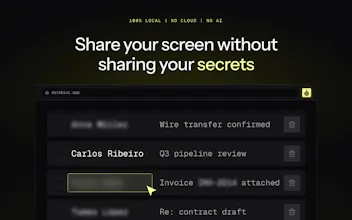
DataBlur blurs sensitive data on your screen in real time — during live calls, demos and recordings. Auto-detects emails, cards and API keys. 100% local: no cloud, no AI, no signup. When detection fails, it blurs more, not less.



Free Options
Launch Team

CloudflareDeploy serverless functions globally in seconds
Promoted
@kosta_zanin26 Congrats for launch 🙌 does the local auto-detection engine run on a MutationObserver DOM listener to capture dynamically loaded sensitive text as you scroll?
@priya_kushwaha1 Thanks Priya! Yes — detection re-scans as the DOM updates rather than only on load, so lazy-loaded rows and SPA route changes get caught as they render. Matching itself is deterministic patterns (no ML), all inside the content script — nothing leaves the page.
@michael_vavilov Good question. Detection is deterministic pattern matching, not ML — so false positives are rare and, more importantly, predictable: it's things that genuinely look like an email or a card number, not random noise. Mid-demo you have three quick outs: hold Alt to peek under any blur without removing it, one click removes that specific blur, and there's a shortcut to clear blurs entirely. If something keeps matching that shouldn't, the blur list is editable so you can tune the pattern once and it stays fixed.
Detection is based on deterministic rules or some local small ML-model? Should I setup a rules for my projects before sharing or DataBlur will just do the work?
@ikuznetsov_com Deterministic rules, no ML — and it works out of the box: emails, phone numbers, cards, passwords and API keys are caught without any setup, so for a typical demo you just switch it on. The blur list is an optional layer on top: add your own keywords or regex once (client names, internal project codes) and they stay covered on every page after that.
@hannesh Thanks! Shortcuts are already in — toolbar, text blur, removing blurs and toggling auto-detect all have keybindings, plus hold Alt to peek under any blur mid-call. No native Stream Deck yet, but since everything is keyboard-driven you can map it to a Deck today. Native support — noted for the roadmap, great idea.
Cool thing and great idea, congrats on the launch! As it’s 100% local, it should be quite CPU-intensive. Or is it?
@nikitaeverywhere Thanks Nikita! Surprisingly light — "local" doesn't mean a local ML model, it's deterministic pattern matching, so there's no inference workload at all. Scans are incremental (only DOM changes get re-checked), and the blur itself is a CSS filter the browser composites on the GPU. In a normal call it doesn't register in the task manager.