
Launching today

automotion.dev
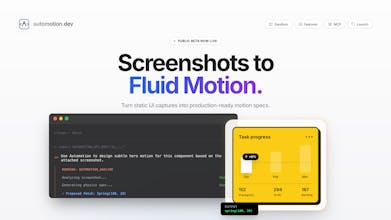
Screenshots to professional motion code. No more AI slop.
1 follower
Screenshots to professional motion code. No more AI slop.
1 follower
AI gives you generic bounce animations. Manual tweaking takes hours. Automotion analyzes your UI screenshots and generates production-ready motion code that matches your brand, complete with proper easing curves, stagger timing, and spring physics. Works in Claude Code via MCP.



Hey Product Hunt! 👋
Last month I asked Claude to "add smooth animations to this hero section."
It gave me:
I stared at it. Pasted it in. Watched my beautiful, minimal hero section... bounce forever like a broken pogo stick.
That's when I realized: AI doesn't understand motion. It understands code that makes things move.
There's a difference.
I'm Jonathan, Founder of Nex. I built Automotion because:
Option A (AI tools): Generic bounce code. Zero brand awareness. Looks like everyone else.
Option B (Manual): Open cubic-bezier.com. Try 47 curves. Four hours later: one button animation.
Option C (What I built): Upload screenshot → Get professional motion.
How It Works:
1. Upload a UI screenshot
(Hero section, card, button, whatever)
2. Automotion analyzes
→ Visual hierarchy (what should enter first?)
→ Motion style (minimal? energetic? polished?)
→ Component relationships (how do these elements relate?)
3. You get production code
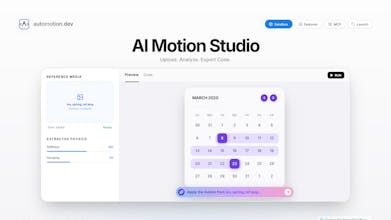
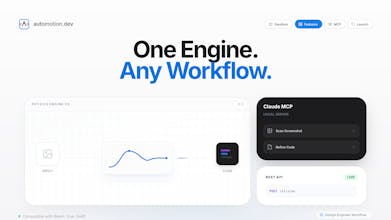
Web Sandbox (automotion.dev):
- Full HTML/CSS/JS
- Tailwind-ready
- Live preview (see it in action)
- Copy-paste to your project
API:
- Motion spec (durations, easings, delays)
- Code snippets (React, CSS, Framer Motion)
- Real curves: [0.22, 1, 0.36, 1]
- Not generic bounces
The Claude Code Magic
This is where it gets good.
Instead of leaving your terminal to use a web app:
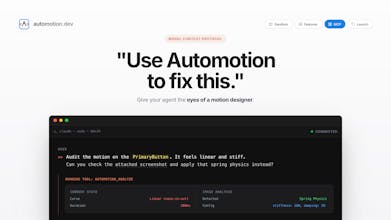
Automotion MCP server activates in the background. Claude analyzes your component, calls our API, gets back professional motion suggestions. You review. Approve. Code gets written.
You never left the terminal.
That's the workflow we wanted. Build product → Ask Claude → Get motion → Ship.
What Makes This Different
Every AI tool trained on "what animations look like" gives you the same generic output.
We built Automotion to understand:
Hierarchy: Headers enter before content. Important elements first.
Visual weight: Large elements move slower (physics).
Intent: Entrance animations ≠ hover states ≠ exit transitions.
Personality: Your brand's motion language. Minimal vs playful vs bold.
It's not "better AI predictions." It's "understanding motion design principles and applying them to your specific UI."
What You Get
Upload a screenshot of literally any UI component.
Automotion gives you code that:
✓ Enters smoothly (fade + slide, not bounce)
✓ Staggers intelligently (hierarchy-aware)
✓ Uses professional easing (bezier curves that feel right)
✓ Matches your style (not generic)
✓ Actually ships (production-ready)
What's Coming Soon
- Design system learning (teach it YOUR motion language)
- Figma + Canva plugin (export with motion baked in)
- More frameworks (React Spring, GSAP, etc.)
- Component library (pre-built motion patterns)
Link: automotion.dev
Upload a screenshot. See if the output beats "animate={{ y: [-10, 10] }}".
If you're tired of:
→ Generic AI animations
→ Hours on cubic-bezier.com
→ Motion that doesn't fit your brand
This might help.
An upvote would mean everything. We're a tiny team trying to make motion design not suck for developers.
Questions? Fire away 🚀