
Desktop Commander MCP
Give Claude it Full Access to Your Local Files & Terminal
58 followers
Give Claude it Full Access to Your Local Files & Terminal
58 followers
Search, update, manage files and run terminal commands with AI. Desktop Commander turns Claude into a real computer assistant — generate diagrams, explore full codebases, automate tasks like video encoding. Open-source, powerful, and local.



Free
Launch Team / Built With


Render: Get up to $100K in startup creditsThe fastest way to deploy and scale apps and agents
Promoted
Hey everyone! 👋
I’m Eduard, the maker of Desktop Commander — a tool that gives Claude full system access: it can read and edit files, run terminal commands, generate diagrams, automate workflows, optimize websites, and more. Basically, it turns Claude into a real AI assistant.
This started as a personal project because I was tired of tools that kept AI boxed into just writing code. I wanted something that could help with actual dev work — and Desktop Commander has completely changed how I build.
⚡️ Early users have called it "cheating" or "dev superpowers" — and now it's your turn to try it out.
🛠️ Free & open source
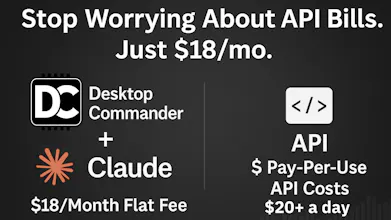
💻 Runs inside Claude Desktop ($18/mo, no API/token limits)
🌍 Works offline, with full access to your terminal & files
🔗 Try it here: https://desktopcommander.app
▶️ Watch demo videos: https://www.youtube.com/playlist?list=PL66Y6GLTMgUMaBwDtdByyxVU8H7D3kTbV
💬 Join the community: https://discord.gg/kQ27sNnZr7
📋 Share feedback: https://tally.so/r/nPr6jB
If you're using Claude, this takes it to a whole new level.
Would love to hear what you think, what you’d build with it — and how we can make it even better. Drop a comment below! 👇
Easy to set up and tremendously useful tool. Thank you for creating it 👏 Keep up the great work Eduard!
@keith56 thanks! Please join our discord if you have any questions.
I've been using this almost daily for a couple of weeks. It's pretty awesome. I've used it to build and extend several tools related to RAG, model evaluation, and multimodal. I think remote SSH is on the todo list. With that, it will be a super-app for me. Keep up the great work Eduard!
@todd_peterson2 Have you considered using Ansible instead of direct SSH? You could set up an Ansible repository with ansible-vault to securely store credentials (see how: https://docs.ansible.com/ansible/latest/vault_guide/vault_managing_passwords.html), and define all remote servers in your inventory file (guide: https://docs.ansible.com/ansible/latest/inventory_guide/intro_inventory.html).
This approach would let the LLM execute commands on any machine (or multiple machines simultaneously) while keeping credentials encrypted and version-controlled. The LLM could simply generate Ansible ad-hoc commands like
and execute them through desktop commander to run operations across all your servers at once.
Check out the ad-hoc commands documentation: https://docs.ansible.com/ansible/latest/command_guide/intro_adhoc.html
Ansible's architecture is specifically designed for this kind of remote execution - you'd get better security and scalability compared to raw SSH.
Here is an example how to build a snake game in one turn with DesktopCommanderMCP
https://bsky.app/profile/dcommandermcp.bsky.social/post/3lmc5aw2fv22a
People are exciteed about the product. And we really like this feedback "it's feels like a cheating"
Thansk to the community!
https://cdn.bsky.app/img/feed_fullsize/plain/did:plc:ewc2igqvuesf4mv7honemlmi/bafkreifyynpcyunpr4i4rz5lk6ivl7adovw7a3ie4bnaxi243rqfgyakt4@jpeg
Yes! Thanks :) It seems an amazing idea, I have an expensive windsurf bill. I haven't tried it yet, as I'm struggling with configuring this Claude Desktop in Ubuntu. Also I am a little bit concerned with the security perspective
MCP space is growing. Curious to try this
@ernests_stals hey, thanks for comment.
Its really easy to try.
Install claude desktop: https://claude.ai/download
And just run this script on MacOS and it will install everything:
@ernests_stals for windows user you need to
install claude desktop: https://claude.ai/download
Install nodejs: https://nodejs.org/en/download
and run this command in terminal:
@ernests_stals all installation instructions are here: https://github.com/wonderwhy-er/DesktopCommanderMCP?tab=readme-ov-file#installation