I want to be easier to visually distinguish different sessions and switch between them. I started by naming and color coordinating my superset projects, but want to go further. Maybe it generates an image based on the worktree branch name and that is fixed in the top right corner and it lightly shades the background according to the dominant color. Any way to remind my brain which workstream I switched to would be helpful!




Superset
Superset
Hi everyone! I'm Satya, one of the cofounders of Superset.
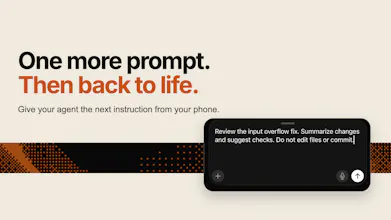
I'm very excited to announce our mobile launch as it has brought me one step closer to an autonomous factory than anything we've launched before. With it and some of our other tools, I can:
Autonomously spin up work on my laptop when Sentry issues or other triggers come in
Have agents work together using our cli to solve the issue and merge the code when they're ready
Agents out to me on my phone with an ask if they need me to unblock them.
20%-30% of my PRs are now fully autonomous and I suspect that number will continue to rise as we launch some of our next features. We wouldn't be able to do this without the love and support from our users, and I'm forever grateful for it all.
If you want to share how you use Superset or how you've been getting more done with agents, feel free to reach out!
How does the diff view hold up on a phone when the agent changes a bunch of files?
Superset
@dylan_friddle12 We recently launched a pretty good PR view that makes reviewing changes across multiple files much easier, even on a smaller screen. It gives you a much cleaner way to go through the overall changes, and we're continuing to improve the flow to make the review experience even easier on mobile.
Can you see the current status and recent activity of every agent without opening each session?
Superset
@austinphillips we have a pretty good list view where you can see the status of all the agents that are running and ran, I think it's a good idea to show the last message of the agent here so that you can quickly get a view
Having separate sandboxes makes sense for experimentation. What happens when two agents make changes to the same part of a codebase?
Superset
@alheri_murya For most of the work, Git worktrees provide really good isolation between agents. Each agent can work independently in its own worktree without affecting the others.
The tricky case is when two agents need to modify the same file or the same part of the codebase. If they're operating in the same worktree, there can be some back-and-forth between the agents as they see and react to each other's changes. Otherwise, we mostly rely on Git to handle the integration - separate branches make it straightforward to merge the changes and resolve any conflicts that arise.
Superset
Hey everyone! Harshith here, Engineer at Superset 👋
This might actually be my favorite thing we’ve built. It took me about an hour of using it to get completely addicted to having agents running in the background and being able to check in or unblock them from my phone 😅
Really excited to see this out in the wild and curious to see what workflows everyone ends up building around it 🚀
I'd probably use this just to check whether the agent is still running when I'm away from my laptop.