
FlyDocs
Team alignment. Real-time visibility. Built for AI speed.
64 followers
Team alignment. Real-time visibility. Built for AI speed.
64 followers
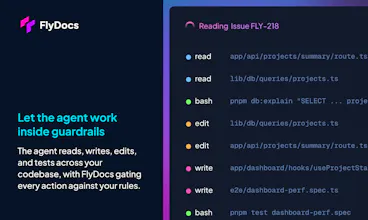
AI made your developers fast, FlyDocs brings the rest of your team up to speed. FlyDocs isn't a coding agent or a PM tool, it's the bridge that connects Cursor, Claude Code, Windsurf and Codex to Linear and Jira, enforcing standards your agents can’t skip. Every AI session follows your team's rules, your tickets auto-update as you go, and leads always know what's shipping. When your team is aligned and your leads have real visibility, the speed your AI tools unlocked actually goes somewhere.




Free Options
Launch Team / Built With


Over the last two years as AI adoption really started to ramp up, we kept noticing the same pattern across the tooling we use internally and every AI-assisted team we work with. Code was moving fast. Everything around it was not. Docs were weeks behind. Tickets were stale or missing. Leadership was asking what was shipping and getting answers that depended on someone remembering to update a board. Handoffs that worked fine at human speed were quietly breaking at AI speed.
I'm Matt, co-founder of FlyDocs. I've spent 20 years in product and consulting. Our team has spent the last two years deep in agentic engineering work, for ourselves and for clients. I watched this pattern destroy velocity across teams, repeatedly, before I built anything.
At first we blamed AI for creating the problem. It hadn’t. It just exposed how misaligned things already were. Stale docs and lagging tickets were always there; they just didn't hurt as much when everything moved slower. Speed up one layer of the system and every gap compounds fast: the more code ships, the less of that speed survives, because everyone downstream is catching up.
FlyDocs realigns those gaps. It runs as a layer inside your existing AI coding workflow, connecting your editor to Linear or Jira without changing how your developers work. You define your team's standards once, and every AI session inherits them, so work ships consistently instead of however each dev happened to prompt that day. When an agent does the work, it opens the issue, moves it through your workflow, and updates Linear or Jira on its own. The project lead watches the card cross the board in real time while the dev is still in the editor. Leadership gets a straight answer on what's shipping, how fast, and whether it's working. Everyone operates on the same signal.
Ten teams are running FlyDocs in production today. Most of what we've shipped so far has come directly from the people using it. We built it in the open on purpose: we want FlyDocs to fit the way teams actually work, not force them into a workflow we designed in isolation.
Cost forecasting and token analytics are next on the roadmap so you can see exactly where your AI spend is going and get ahead of it before the bill lands. It's part of a bigger push to keep the framework as token- and cost-efficient as we can, so teams don't have to think about it. For anyone watching what AI actually costs them, that changes the picture.
I'll be in the comments all day to answer any questions. One question I'd love to hear more on: if your team is already shipping with AI-assisted development, where does it break down first? Docs falling behind, tickets not reflecting reality, or leadership losing the picture of what's actually shipping?
@matthewelsey88 great keep it up!
@mohsinproduct Thanks so much for the support!
The sync between Cursor sessions and Linear tickets sounds great. One thing I'd love to see is a way to comment back into Jira from the FlyDocs dashboard without needing to switch tools, so non-engineering folks can leave context directly on the work being shipped.
@derinalmargwoo Thank you for this!
This is a good one to clarify because it's core to how we designed FlyDocs. Non-engineering folks never need to open FlyDocs at all. A PM leaves a comment on the issue in Jira like they already do today, and when the engineer picks up that work in Cursor, FlyDocs pulls the comment into the session so the AI has that context before any code gets written. It works the other direction too. The engineer can post an update back to the Jira issue without leaving their editor. The FlyDocs dashboard itself is just where an engineering manager configures the workspace and the gates. Everyone stays where they already work and FlyDocs is the harness connecting it!
Tried it on our team and the auto-updating of Linear tickets as we worked in Cursor was actually really nice, no more forgetting to log progress. The standards enforcement feels like the real win for keeping code reviews clean.
@dilaratulumcu Awesome ! Would love to hear more about other features or configurations you and your team would find valuable ! Do you share rules or skills across the team ?
This is pretty nifty. Finding it really helps me stay in that almighty flow-state instead of bouncing back and forth between Cursor and Linear. Enjoying the local only version too for my small solo project, gives me some semblance of task-tracking when a full blown project management tool like Linear is a bit unnecessary.
Also just saw that I can add skills straight from the FlyDocs dashboard which is a pretty neat little feature, cause that can be a bit of a pain sometimes. Plus being certain that you have some team-wide skill consistency is great.
@mark_shull awesome to hear ! Yeah the idea is to have an easy way to not only manage and share skills but also rules , permissions, config and workflows . I’m curious if you’ve felt like anything is missing or if you have a feature you’ve been hoping to see ?