Launching today

BrowserAct
Web browser automation for AI agents
236 followers
Web browser automation for AI agents
236 followers
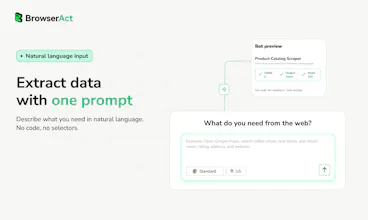
BrowserAct is built for agents using the web. It gives agents a browser layer for real websites, so they can pass blocked pages, adapt to real scenarios, run multiple tasks safely, and return clean web data for reasoning. Use BrowserAct when an agent needs to browse, click, extract, fill forms, upload files, work inside logged-in sites, handle verification, or run repeatable browser workflows.


BrowserAct
Hey Product Hunt 👋
I'm Wendy, Senior Marketing Operations at BrowserAct.
AI agents work well in clean demos, but the real web is messy: login state, verification, dynamic pages, uploads, blocked flows, and browser sessions that interfere with each other. Most agents stop the moment a website pushes back. So we built a browser layer that doesn't.
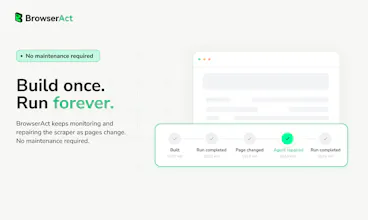
BrowserAct reads the messy parts of the web your agent can't handle alone. It's an open-source browser automation Skills that keeps session state, works through common web blocks, hands off to a human when needed, and returns clean web data for reasoning. The idea is simple: agents should automate what they can, ask for help when they're stuck, and continue from the same browser state afterward. You stay in control of all of it; nothing runs without your sign-off.
🎁 For Product Hunt: Get a free 7-day trial to test BrowserAct on a real browser workflow your agent keeps breaking on, no code needed.
Here all day, and would love your honest feedback. What browser task still breaks your agent today?
@wendyba Congrats on the launch. :)
BrowserAct seems like a practical way to help agents navigate the messy web flows. What kind of browser task has been the hardest to automate so far?
@rohanrecommends Thanks! The trickiest workloads typically run on sites with tight anti-bot and verification protections—think logged-in dashboards, marketplaces, social platforms, dynamic search pages, and workflows that combine CAPTCHAs, rate limits, shifting UI elements, plus manual approvals.
@wendyba Great launch. Quick question: When BrowserAct hands off to a human during a stuck flow, what does that experience look like for the person assisting? Specifically, how does the human see the current browser state and what steps are required to resume?
@swati_paliwal Hi,Thanks!
Whenever a workflow requires human input, BrowserAct generates a remote-assist link that clearly states what action needs to be completed.
The penson can open the link and view the exact live browser session and page state. They can finish required steps like logging in, passing verification prompts, scanning QR codes or submitting manual confirmations. Once done, the agent picks back up within the original session.
@wendyba The hand-off to a human and resume from the same state is the part most browser agents skip, and it's exactly where mine breaks. Not blocked pages so much as dynamic reflow: the DOM shifts between read and click, so the agent acts on a stale position. Does BrowserAct re-anchor to elements semantically, or does keeping session state also cover layout drift mid-task?
@david_marko Great point. BrowserAct can pull the latest live page state ahead of every action the agent takes.
Following a manual handoff, the system refreshes its view of the active browser session before resuming work. This avoids outdated DOM snapshots or obsolete element coordinates captured prior to page updates.
In short, handoff preserves your ongoing session, while real-time state retrieval ensures all subsequent actions align with the page’s current live content.
The "most agents stop the moment a website pushes back" framing is the real issue - we've had agent demos fall apart on something as basic as a cookie banner or a verification step. A resilience layer that keeps the agent moving through real-world friction makes a lot of sense.
The right side of this page shows Browser Use and Browserbase as alternatives. Where does BrowserAct specifically pull ahead - is the main angle the "clean output for reasoning" (returning structured data vs raw DOM to the agent) or is it more about the multi-session isolation piece? Genuinely curious what the core bet is here, since that changes a lot about which use cases you're best at.
@galdayan Good question. I don’t see this as a choice between neat output and separate session isolation—we actually need both, and they all tie back to the core idea behind BrowserAct: keeping workflows running reliably on live real sites.
Clean output stops the agent from drowning in messy raw DOM data so it can make better decisions. Session isolation is critical if you’re running multiple parallel tasks, staying logged into different accounts, or handling account-specific work. Things like cookie popups, active login status, captchas, blocked pages, manual confirmations, or short human intervention breaks all feed into one single goal: let the agent keep progressing and wrap up tasks fully.
This is where we think BrowserAct stands out. Instead of the agent dying quietly or having to restart the whole process every time something goes wrong, we built it to hold onto your active browser workflow no matter the interruptions.
A quick contrast to similar tools: Unlike Browserbase, we aren’t just building basic browser backend infrastructure. And versus Browser Use, our focus isn’t solely on simpler browser control. We built BrowserAct as a browser layer purpose-built for AI agents. It bundles isolated sessions, streamlined readable page data, automatic verification handling, and human takeover functionality—all tailored for those messy, unpredictable real-world automation flows.
@galdayan Another big distinction: BrowserAct prioritizes local operation first.
It runs alongside your native Chrome sessions locally. All your logged-in states and sensitive info stay on your device, fully within your control.
You’ll also save a lot on overhead, especially when you don’t have to offload every session to remote hosted browsers.
This looks fantastic, Wendy. The concept of an agent automating what it can, pausing for a human to clear a verification block, and then resuming the exact same session is a game-changer. I'm building an AI proposal tool right now and web data extraction is a constant headache when dealing with dynamic sites. Can't wait to test this out on a few broken workflows!
BrowserAct
@varunvivek Thanks so much, that means a lot. We designed BrowserAct for agents first, with things like anti-detection, better headless mode, remote assist, browser modes, and strong concurrency/isolation. The goal is to make browser tasks keep moving even when the web gets in the way.Would love to hear how it works on your proposal workflows once you test it.
HeyForm
This looks really useful, Wendy.
I like that BrowserAct treats the browser as part of the agent runtime, not just a place to send clicks. In my workflows, the hard part is never the click itself. It’s keeping the task alive when login state, popups, or verification get in the way.
@itsluo Yep, this was our main pain point to tackle.
It’s easy to automate basic clicks in a perfect environment, but actual browser work gets interrupted all the time: logged-in states popping up, verification windows, blocked pages, parts you have to judge manually.
BrowserAct’s built to preserve your ongoing workflow. The agent can pause, recover, or let a human take over without wiping your session and starting over again.
Triforce Todos
Congrats on the launch!
The human handoff part is cool but how does the agent actually know when to ask for help vs just retrying on its own?
Is that a confidence threshold or something the agent decides itself?
@abod_rehman Great question. It’s not really a single confidence threshold.
The agent reads the live browser state and follows an escalation path. For normal UI changes, it can wait, re-check the page, and adjust the next action. If it detects a common verification challenge, BrowserAct can try automated handling with commands like `solve-captcha`.
But when the step clearly requires human identity or judgment, such as login, 2FA, OAuth, a security check, a QR scan, or manual confirmation, the agent should stop retrying and hand off through headed mode or `remote-assist`.
If the workflow needs a person, BrowserAct keeps the same browser session alive so the human can clear the step and the agent can continue from there.
For sites that actively fight automation, like ones with aggressive bot detection, whats the actual success rate looking like right now vs a normal site?
@boyuan_deng1
That’s a great question. We can’t offer a fixed universal success rate, as performance hinges on the target site, account history, traffic patterns, proxy quality, login state and task type.
Our solution is built around three functional layers. The first is our foundational browser environment, with native Chrome sessions, stealth configurations, session persistence and streamlined data extraction.
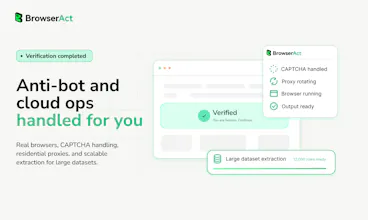
Second comes automated verification handling. When sites trigger anti-bot measures, BrowserAct detects blocked pages and runs tools like the solve-captcha command to resolve standard CAPTCHA and verification prompts where feasible.
Third is human handoff. If automation can’t clear a barrier, team members can intervene, and the agent resumes work within the original session afterward.
We don’t position BrowserAct as a tool to circumvent all site restrictions. Our core priority is uninterrupted task delivery, with zero loss of existing session progress.
congrats on the launch!
browser automation often breaks in real-world scenarios.love the focus on handling messy web interactions.what was the biggest technical challenge you solved first?
@avery_thompson2 Thank you!
The first big challenge was anti-bot challenges and interactive verification. Real sites don’t just need clicks, they bring CAPTCHA, login checks, 2FA, blocked pages, and changing UI.
So we built the escalation path early: real Chrome sessions, stealth mode, `solve-captcha` for supported challenge flows, and `remote-assist` when human help is needed.