

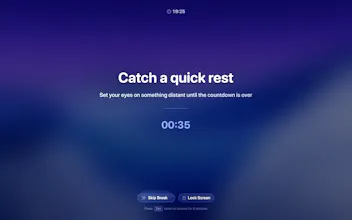
LookAway is a native macOS app which puts your mac in rest mode at regular intervals to help you rest your eyes. It helps in reducing digital eye strain and dry eyes due to prolonged screen use. It's gentle, smart, and fully customizable.
This is the 2nd launch from LookAway. View more

LookAway 2
Launched this week
LookAway is a smart break reminder for Mac that helps reduce eye strain and screen fatigue. It combines break, blink, and posture reminders with context awareness and iPhone sync, so your breaks stay in sync across devices and never interrupt you at the wrong time.



Free Options
Launch Team


LookAway
@kushsolitary Great idea, one suggestion to improve this is all screen dimming, as in adding a black layer on top of screen with 50% transparency which makes it difficult to ignore the notification and pushes user to actually take a break!
@kushsolitary Congrats~ To be honest, I've tried many 'break reminders' and most end up being ignored or uninstalled because I just click 'Skip' whenever I'm in the zone.
What's your strategy for 'Break Enforcement' vs 'User Friction'? If I'm deep in a coding session, how does LookAway convince me to actually look away instead of just treating it as another annoying notification?
@kushsolitary Kudos on the launch. For remote teams glued to calls, any plans to add collaborative stats sharing or team reminders?
@kushsolitary @swati_paliwal The accountability piece can be a potent motivation. I have tried many apps. But when I really need a break, I always push it off. I think if my "badness" is shown to my whole team, I probably would try to do better by doing the "right" thing. I guess I am a people pleaser.
@kushsolitary Upvoted! This resonates. Break reminders always sound simple, but are hard to get right.
what make it different from other similar product ?
LookAway
@sonu38 The main thing I think LookAway does differently compared to other apps is iPhone sync. During breaks, it can sync with your iPhone so you're less likely to just switch devices and keep scrolling. As far as I know, that's not something the other apps in this category offer.
The second big difference is smart pause / context awareness. LookAway tries to avoid interrupting you at the wrong moment by adapting around things like meetings, screen recording, video playback, and similar situations where a forced reminder would feel frustrating.
Other things that set it apart:
posture reminders and blink reminders in addition to break reminders
a heads-up before breaks so they don't feel abrupt
stronger break controls in 2.0
a more detailed stats experience with things like Screen Score, session patterns, and natural breaks
I've been coding 12+ hour days lately and my eyes are paying the price. The problem with the 20-20-20 rule is that nobody actually follows it without something forcing them to stop. Having the Mac go into rest mode at intervals is way more effective than a notification I'll just dismiss. The "smart" part is key too - I don't want it interrupting me mid-deployment or during a call. Does it detect when you're in a meeting or presenting and automatically postpone the break?
Hi Kushagra! the context-aware part sells it for me. Every break reminder app I've tried before would interrupt me mid-flow and I'd just dismiss it and never come back. How does it decide when you're in the zone vs a good moment to break? Not an easy UX problem to solve I imagine?
posture reminders + eye breaks in one app makes sense. most people don't realize how connected those issues are - you lean forward when your eyes get tired, then your neck hurts, then you lean forward more. breaking that cycle early is key.
The iPhone sync feature is a game changer for break reminders. Most people just pick up their phone the second a break starts, which defeats the whole purpose. Love that you thought about that loop. @kushsolitary How does the context awareness work during screen sharing or presentations, does it auto-pause?
been using something similar and the main issue was it interrupts during calls or when youre mid-sentence in a doc. the context awareness bit here is interesting — how does it detect that? like is it checking mic activity or just watching for full-screen apps?