
Bulk Exporter for Sora
1-click backup for your Sora videos, images & prompts.
57 followers
1-click backup for your Sora videos, images & prompts.
57 followers
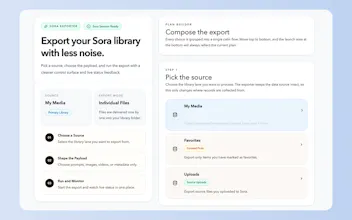
Creating amazing videos with Sora is mind-blowing, but managing the generated assets is a hassle. Manually saving files and copying prompts ruins the workflow. Bulk Exporter for Sora is a lightweight Chrome extension that lets you 1-click download your entire Sora library. It neatly organizes videos/images into folders and exports prompts as Markdown files with YAML front matter. Stop leaving your AI generations scattered in the cloud. Take full control of your digital assets today!



Does it preserve the original prompt metadata when exporting so you can reproduce or iterate on specific generations later? Looks like a must have for heavy Sora users, nice work!
@mateuszjacni Hi, yes, it will do it. You can have a try.
That's Cool, do you also have a Version for Flow?
@ghufran_0786 Which flow product? Can you share the flow URL with me? I will try to build it.
Hello @aluo , sorry for the late reply.
I was talking about Google Flow: https://labs.google/fx/tools/flow :)