
Launched this week

Gaze Guard
Instant Privacy & Screen Blur
63 followers
Instant Privacy & Screen Blur
63 followers
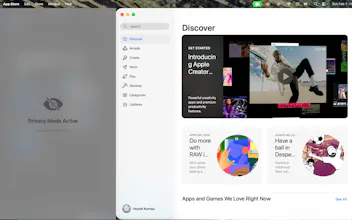
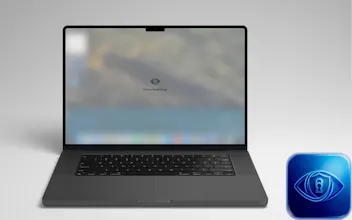
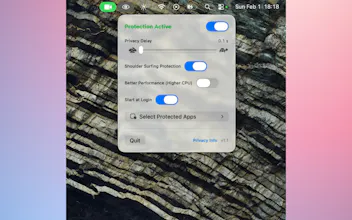
Key Features: Smart Gaze Detection: Instantly blurs content when you look away. Shoulder Surfing Protection: Detects if someone else is looking at your screen and activates privacy mode. Selective Blur: You choose which apps (Mail, Notes, etc.) to protect. Privacy First: All processing happens locally on your Mac using Apple's Vision Framework. No camera data ever leaves your device.



Gaze Guard
Gaze Guard
@dr_simon_wallace Great question. Performance impact is minimal on Apple Silicon — on my M5 MacBook Pro the fans never spin up with Gaze Guard running.
The app uses Apple's Vision framework for on-device face detection, which runs on the Neural Engine rather than the CPU or GPU. There's also a "Better Performance" mode in settings that increases the detection frequency if you want faster response, but even in that mode the thermal impact on modern MacBooks is negligible.
Battery hit is real but modest — continuous camera use does consume power. To help with this, you can limit protection to specific apps rather than running it globally, which gives you the same security where you need it without the camera running all the time.
In short: silent on M-series, designed to be lightweight by leaning on dedicated silicon rather than burning through CPU cycles.
Check if I understand the product. So, if the person whose laptop it is, it will not blur then, but if in front of the camera somebody else comes, then it will auto-blur the screen. Is that correct? And then it unblurs whenever the original owner arrives in front of the laptop. Is that correct? Is it using some kind of facial recognition?
Gaze Guard
@ankur_jeswani Almost right, with one important clarification — there's no facial recognition yet.
Right now Gaze Guard doesn't distinguish who is in front of the camera. It works purely on count:
• 1 person in frame → screen stays visible
• 0 people in frame → screen blurs after your set delay (you stepped away)
• 2+ people in frame → screen blurs immediately (someone is looking over your shoulder)
So the primary use case is exactly what you described: you're sitting at your laptop, a coworker leans over — blur. They leave, you're alone again — unblur.
The limitation is that if you step away and a stranger sits down, Gaze Guard will unblur for them too since it just sees one person. That's why facial recognition ("only unblur for the owner's face") is the most requested feature on the roadmap. It's not there yet, but it's the natural next step.
minimalist phone: creating folders
Can it also blur specific parts of the screen?
Gaze Guard
@busmark_w_nika Not currently — Gaze Guard works at the app level, not the region level. You select which apps to protect, and the entire window gets blurred when you look away or someone else looks at your screen.
Region-level masking (blurring just a column in a spreadsheet, for example) is technically much harder on macOS since there's no native API for masking arbitrary screen regions. It's an interesting idea but not on the near-term roadmap.
This is very cool. How does Gaze Guard handle dual-monitor setups — does it track gaze per screen independently, or does it blur all screens simultaneously when you look away?
I work from cafés a lot so the shoulder surfing detection is really appealing. Curious how fast the blur kicks in when someone walks up behind you. Is it instant or is there a brief delay?
Nice, congrats on the launch! As someone who enjoys working in cafes, your product sounds exactly like what I need 😆