
todoglow for macOS
Your AI agent's favorite todo app for macOS
8 followers
Your AI agent's favorite todo app for macOS
8 followers
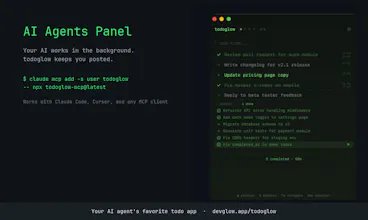
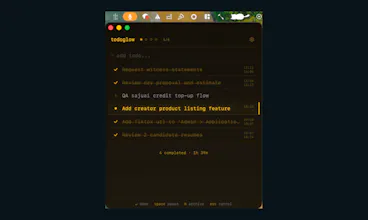
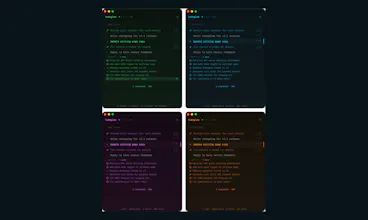
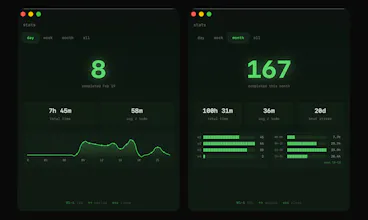
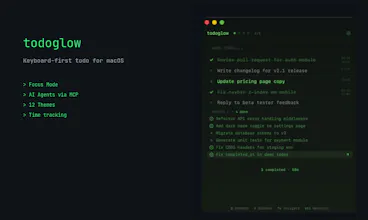
Keyboard-first todo app for macOS. MCP-compatible — works with Claude Code, Cursor, and AI coding tools. No mouse needed. Everything runs on keyboard shortcuts: add todos, start a timer, switch workspaces, archive — all without clicking. Global shortcut (⌃⌘/) opens todoglow from anywhere. Floating focus bar keeps your current todo visible while you work in other apps. 12 terminal-inspired themes. One-time purchase, no subscription.



Hey everyone, I'm Aesop — solo developer from Seoul.
I built todoglow because I couldn't find a todo app that matched how I actually work: hands on the keyboard, no context switching, no mouse.
Every todo app I tried either had too many features or too many clicks. So I made one where you never leave the keyboard. Press ⌃⌘/ from anywhere, type your todo, hit Enter, and you're back to work.
The part I'm most excited about: todoglow speaks MCP, so AI coding agents like Claude Code and Cursor can push todos directly into your list. You work on one thing while your AI handles the rest.
One moment that stuck with me early on — a 70+ year-old user from Germany emailed me about a keyboard issue. He was on a QWERTZ layout, and my "universal" shortcuts didn't work for him. We exchanged 7-8 emails. By the end, he was sending me website typos and UX suggestions. That experience shaped how I think about building.
Would love your feedback. I'm here all day.
Really enjoying using this app! It is lightning fast and easy to use. I keep it open throughout my working day. Doesn't have all the bells and whistles of an app like Things, but that's the point. todoglow is minimal and that's exactly why I like it. Reminds me a little of Taskpaper from back in the day. Really interested to see how the app evolves and how the Dev will add new features like reminders, deadlines, flags etc without losing the spartan quality. Highly recommended and so far a joy to use! If you like Antinote, you'll love this!
@shanden Hey Shande! Huge thanks for taking the time to write such a thoughtful review.
"Spartan quality" — I'm stealing that. That's exactly the vibe I'm going for.
You nailed the challenge too: adding features like reminders and deadlines without losing what makes it todoglow. That's the tightrope I think about from time to time. The plan is to keep the core fast and minimal, and layer new capabilities in a way that stays out of your way until you need them.
By the way, you've actually helped shape one of the core features yourself — so thank you for that too. Hope todoglow keeps earning its spot in your daily workflow!