
Launched this week

0xCal
Type + capture your meals to log cals w/ Apple Health Sync
221 followers
Type + capture your meals to log cals w/ Apple Health Sync
221 followers
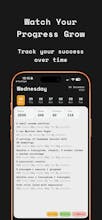
Most calorie apps feel like a chore – cluttered interfaces, endless database searches, designs stuck in 2015. 0xCal is different. Built for people who care about the apps they use. Describe what you ate naturally, or snap a photo. AI handles the rest. Dark mode first. Minimal UI. Native iOS feel. No ads, no clutter – just a beautiful tool that helps you reach your goals without compromising your home screen. The calorie tracker that finally belongs on your phone.




0xCal
@namedix Great launch!
Only one question - how do you know that nutrition are accurate?
0xCal
@walarowska Thanks!
Honestly — it's not about being 100% perfect. It's about being accurate enough to know if you're on track or not.
The accuracy scales with how much detail you give:
→ "Had eggs for breakfast" = rough ballpark
→ "2 scrambled eggs with butter and toast" = solid estimate
→ "100g eggs, 10g butter, 50g bread" = very accurate
For known stuff like a Big Mac or Starbucks latte — it pulls exact public nutrition data.
Most days you don't need to know you ate exactly 487 kcal. You just need to know "I'm good" or "maybe go lighter for dinner."
The goal was removing friction, not chasing perfection. If you need precision, you can go detailed. If you just want a quick log, rough estimate works too.
A beautifully designed app. I was a beta tester for this project and can confidently say the author went the extra mile. The attention to detail really shows. Counting calories works flawlessly.
Great launch!
0xCal
@wmandrysz Thank you so much! Couldn't have done it without beta testers like you – your feedback shaped so many of the details. Really appreciate you being part of this from the early days! 🙏
0xCal
@brucem80 This made my day — thank you! 🙏
That's exactly the use case I built it for. MyFitnessPal has a ton of features, but if you just want to track calories without the noise, it can feel like overkill.
Wanted 0xCal to do one thing really well: make logging fast and painless, with Apple Health doing the heavy lifting for your targets.
If anything feels off or missing as you use it, I'd love to hear — still early days and feedback from real users is gold. Really appreciate you giving it a shot!
minimalist phone: creating folders
AI scanner is top here. Definitely a feature that differentiates/positions your tool ;)
0xCal
@busmark_w_nika Thank you! I spent a lot of time on that. It works with actual food plates AND nutrition labels – the labels give the most accurate results since it reads the exact values. Really happy with how it turned out!
minimalist phone: creating folders
@namedix Can the user customise the amount on his plate? (in terms of grams etc.)
0xCal
@busmark_w_nika Yep! When gram analyzes your food, it always shows the portion size it assumed (like "~150g").
If it's off, you just tell it in the chat: "actually it was about 200g" or "smaller portion, maybe 100g" — and it recalculates instantly.
The "apps as punishment" analogy resonates! Clean UI matters when you're using something daily. How does 0xCal handle restaurant meals where you don't have exact nutrition info? Does the AI learn your preferences over time?
0xCal
@nora_studiohedera Thanks! Yeah, using an app you hate every day is a recipe for quitting by February 😅
For restaurant meals – just describe what you ordered. "Chicken Caesar salad from Sweetgreen" or "pad thai from the place down the street." The AI estimates based on typical restaurant portions.
For chains like McDonald's, Chipotle, Starbucks – it pulls exact nutrition since that data is public.
And accuracy scales with how much detail you give:
→ "Had pasta for lunch" = rough ballpark
→ "Spaghetti carbonara, medium portion" = better estimate
→ "About 200g pasta, creamy sauce, bacon bits" = pretty accurate
You don't always need precision – most days you just want to know "am I roughly on track?" But when it matters, you can go detailed.
As for learning preferences – not yet, but it's on the roadmap! Would love to have it remember "my usual breakfast" or your go-to orders. Coming soon!
I track meals regularly for fitness, and 0xCal immediately caught my attetion — I downloaded it right away to try it out. The UI and typography are genuinely fun, and it feels refreshingly minimal compared to most calorie apps.
Quick question: AI photo recognition in most apps isn’t very accurate(especially for mixed or homemade meals). Curious how 0xCal improves accuracy and makes corrections easy.
0xCal
@sylvia_weng99
Thank you – really glad the design landed for you! That was the whole mission.
You're totally right that photo AI isn't magic, especially for homemade meals where it can't know your exact recipe. Here's how 0xCal handles it:
The photo is a starting point, not the final answer. After you snap, you land in a chat where you can refine it naturally:
→ Gram: "Looks like scrambled eggs with vegetables and toast, ~400g total – ~450 kcal"
→ You: "It was 3 eggs and add some cheese"
→ Gram: "Updated – ~520 kcal"
So instead of hunting through fields and dropdowns to make corrections, you just... talk to it. Tell it what's wrong and it adjusts.
For complex homemade meals, I usually just describe ingredients: "Made a stir fry – chicken, broccoli, bell peppers, soy sauce, bit of oil." Works better than hoping the camera figures it out.
@namedix Thanks for the explanation! This really resonates with me — a lot of calorie apps have inaccurate AI recognition, and I eventually ended up doing a "take a food photo + chate with Gemini to log it" workaround...which weirdly worked pretty well 😄
What you're building feels like a much polished and intentional version of the workflow, and the interaction design makes a lot of sense. I'm excited to use it more seriously!
0xCal
@sylvia_weng99 That’s awesome to hear — and honestly your “photo + chat with Gemini” workaround is exactly the workflow I kept doing too 😄
0xCal is basically my attempt to turn that hack into something polished and fast: snap/describe → get assumptions (incl. portion) → correct in chat if needed → done.
If you end up using it seriously, I’d love to hear what feels great and what feels annoying in real life use. Thanks again for trying it!
0xCal
@zahran_dabbagh Thanks! Good news — that feature already exists! 😄
You can snap a photo of your food (or a nutrition label) and the AI analyzes it instantly. Works from the camera or photo library.
It estimates the dish, portion size, and nutrition — then you land in the chat where you can correct anything that looks off. So if it guesses "300g pasta" but it was actually a small portion, you just tell it and it adjusts.
For packaged food, snapping the nutrition label gives you the most accurate data since it reads the actual values.
Give it a try and let me know how it works for you!