

How do you tackle "loop fatigue" during deep programming blocks? Just launched my first Flutter app.
Hi Peerlist! 🚀
I got frustrated with the current market of ambient noise and focus mobile apps. Almost every tool out there has shifted toward heavy cloud architectures, tracking user data, and hiding simple background audio play behind monthly subscriptions.
Another massive issue I found was "loop fatigue"—when your brain registers a flat, repeating 30-second rain track, it breaks your flow state instead of sustaining it.
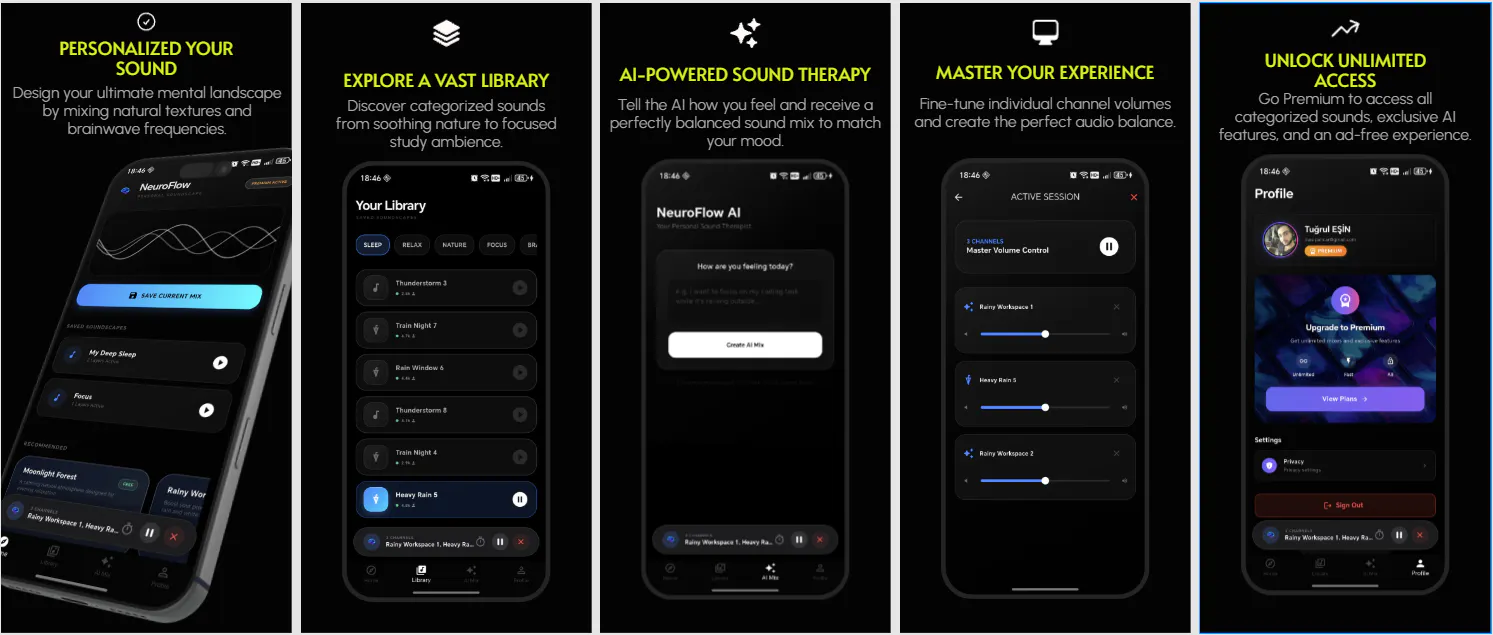
To solve this, I built NeuralFlow on the Google Play Store.
The Tech Under the Hood:
☁️ Dynamic Asset Streaming: Audio layers are streamed dynamically from Firebase and cached locally. This keeps the initial app size under a few megabytes while allowing the sound library to scale infinitely without bloating device storage.
🎧 On-Device Audio Layering: Once cached, the core engine blends multiple high-quality asset streams client-side. Users can micro-adjust volume ratios between low-frequency masking anchors (sub-100Hz brown noise) and organic mid/high textures like heavy rain or train nights.
🔋 Background Lifecycle Optimization: Built using Flutter, careful attention was given to optimizing native background processing lifecycles to handle prolonged audio streaming smoothly without triggering aggressive Android OEM thermal throttling.
Once your layers are cached, the app works 100% offline in absolute airplane mode. The core mixer layers are entirely free.
I would highly appreciate your feedback on the UI fluidity under background load and the caching stability across different Android battery profiles!
🔗 Check it out on Google Play Store: https://play.google.com/store/apps/details?id=com.moreai.neural_flow
Replies
Be the first to reply
Have a question or a thought to share? Add a comment above to start the conversation.