

New from agentcad: spec and measure
by•

I've been gearing up to submit agentcad to cadbench which is an eval set for CAD models.
As I've been going through that, I've found some error scenarios where everything "looks" right to me and to the agent but is actually off by a small amount here or is missing a specific shape over there.
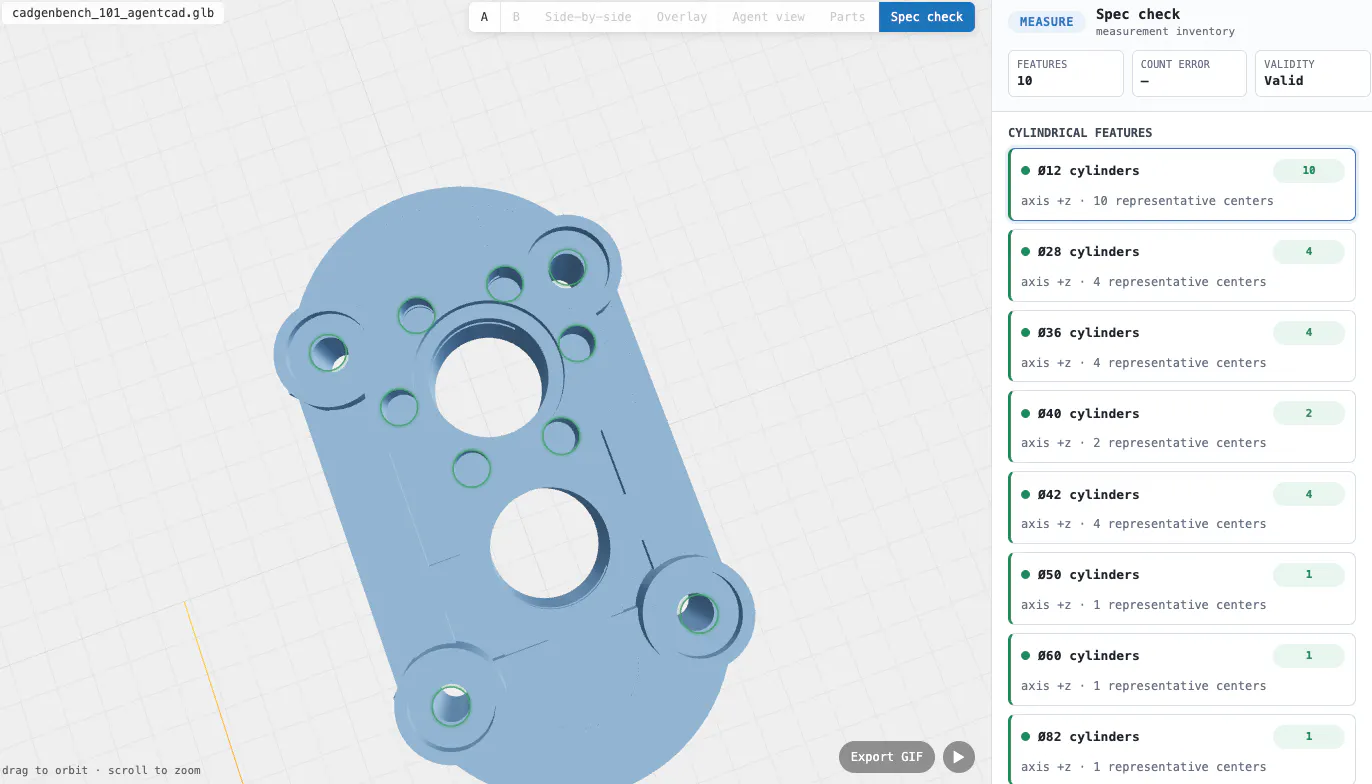
So to help with this, I added two tools to agentcad:
spec: spec allows the agent to declare different things that should be true about the final shape: it's overall size, cylindrical features, the number of planar shapes + their orientation
measure: which allows the agent to measure these same shapes and their orientation
Check it out and let me know what you think!
43 views
Replies
This is a smart addition.
In CAD, visual correctness is not enough because a model can look right but still fail because of a tiny measurement or missing feature. Giving the agent a way to define specs first, then measure against them, feels like a much more reliable workflow.
Curious if agentcad can use failed measurements to automatically revise the model, or does it mainly report the mismatch for review?
@prashant_patil14 yeah, the idea is that agentcad is software for your agent. So you fire up claude code or codex and they use agentcad to do the building. in my usage they keep churning on the design task until they meet the spec they've outlined.
Hello James, this is a really interesting direction. In CAD work, the smallest deviation can completely change whether a part is usable, so adding explicit spec and measure tools feels very practical.
@ill_robyn love to hear it!
This feels like an important step for AI-assisted CAD. “Looks right” is not enough when a small measurement error can break the real-world output. I like the direction of adding spec and measurement because it moves the agent from generating shapes toward proving that the output satisfies constraints.
@rahulbhavsar glad you like it! please do check it out!
Will do, James. The spec-and-measure angle is exactly the kind of thing that makes AI CAD feel more production-ready, not just impressive in a demo. I’ll take a closer look at how it handles constraint mismatches and edge cases.
@jdilla Nice update. This feels like the right feedback loop for agent CAD: don’t just generate something that looks correct, define what must be true and then measure against it. The tricky mistakes are usually the tiny ones that pass visually but fail in the actual spec.
You can learn more here: https://agentcad.dev/measure-and-spec