
The Leaderboard
by Product Hunt
Wednesday, Jul 30
Wednesday, Jul 30
Study Mode to Stealth Mode
gm legends, happy Wednesday.
Here’s today’s lineup: Study Mode turns ChatGPT into a relentless tutor with step‑by‑step prompts and quizzes; OnlyCheat skips the cram entirely with stealth answers during live exams; and DesignQA turns design bug reports into one‑click handoffs straight from your browser.
P.S. Building something new? Tell us about it → editorial@producthunt.co 🫶
Crack the Study Code

Study Mode lives inside ChatGPT. Flip it on to swap instant answers for step by step lessons. You get Socratic prompts that poke at your logic. Targeted hints whenever you stall. Mini quizzes and image parsing lock in each concept.
🔥Our Take: I flipped on Study Mode for a brutal stats problem and it felt like a tutor who drills you until you actually get it. The back and forth slaps for mastering concepts though it can drag when you just need the answer under a deadline.
All‑Nighter No More
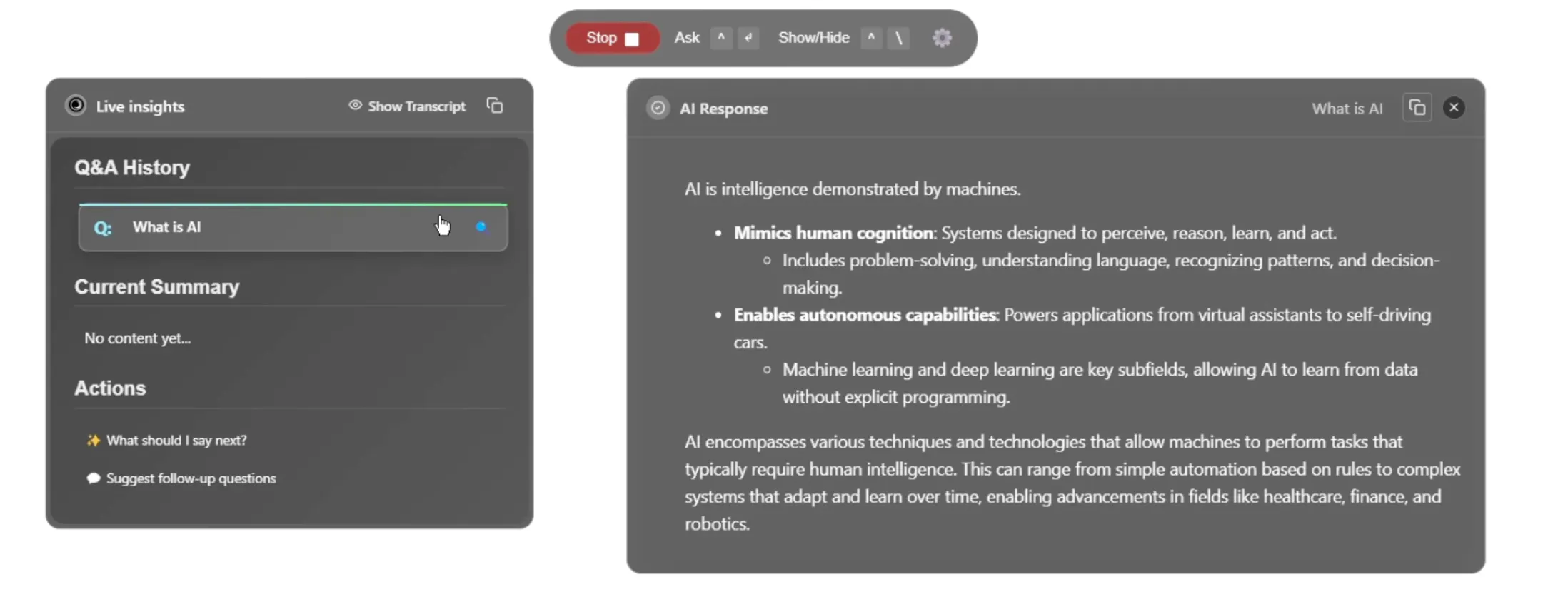
OnlyCheat runs invisibly on your desktop. Integrates with coding test interviews and live exams. Monitors your screen and audio for real‑time context. Streams stealth answers into Google Meet Zoom and more.
🔥Our Take: If Study Mode is for the crammers, this tool is for the ones who go with the flow. The premise of being fed answers in real time feels like a movie scene where one person wears an earpiece. The only thing I’m afraid of is if it glitches and I don’t have the ability to tell when it’s obviously giving me the wrong answer.
Battle of the Bots
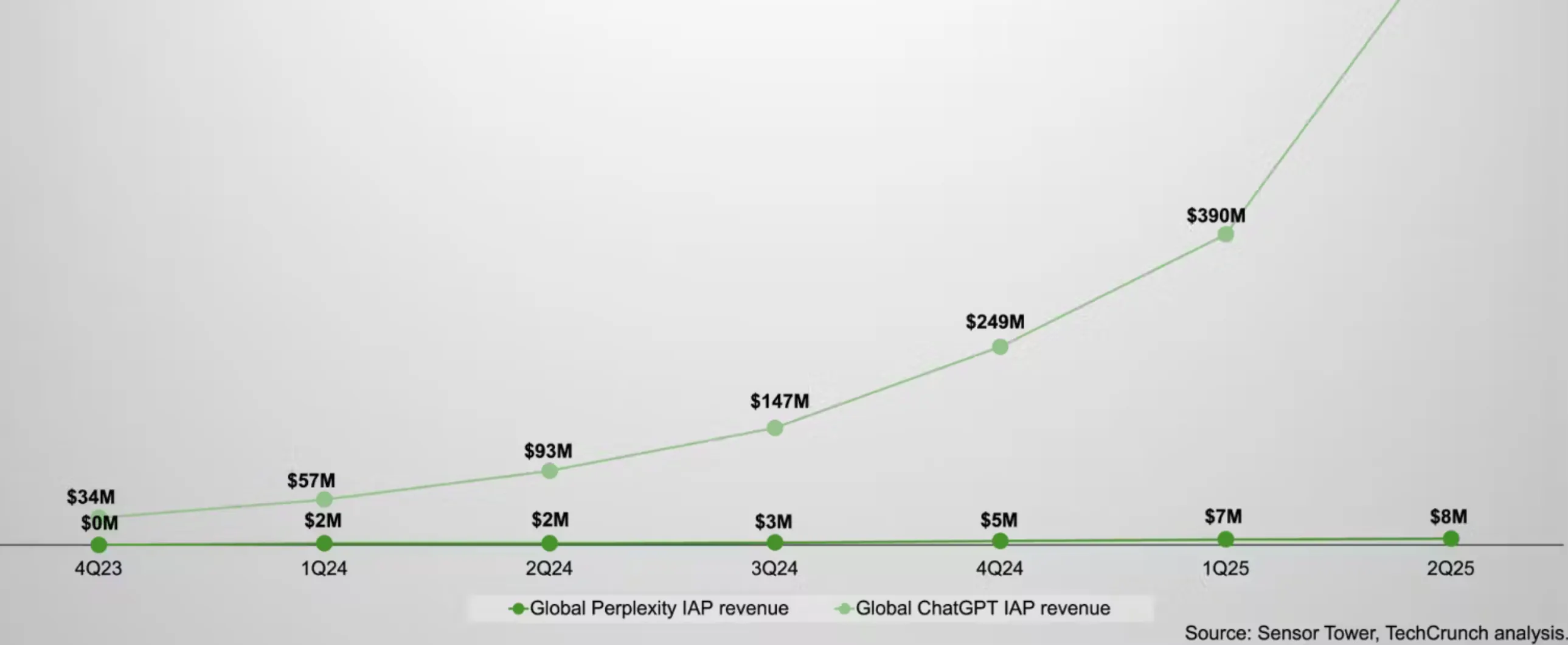
Nika wants to know: “Will Perplexity overshadow OpenAI?”
In other words, does handing out free Pro plans to millions of Airtel users put Perplexity on track to become the default AI interface?
As someone who’s watched Perplexity grow from a slick search companion to a full product stack, you can see the case for reach. But the thread isn’t convinced reach alone beats model power, developer trust or long‑term retention. A bold move, sure, but whether it sticks is another story.
No More Redlines
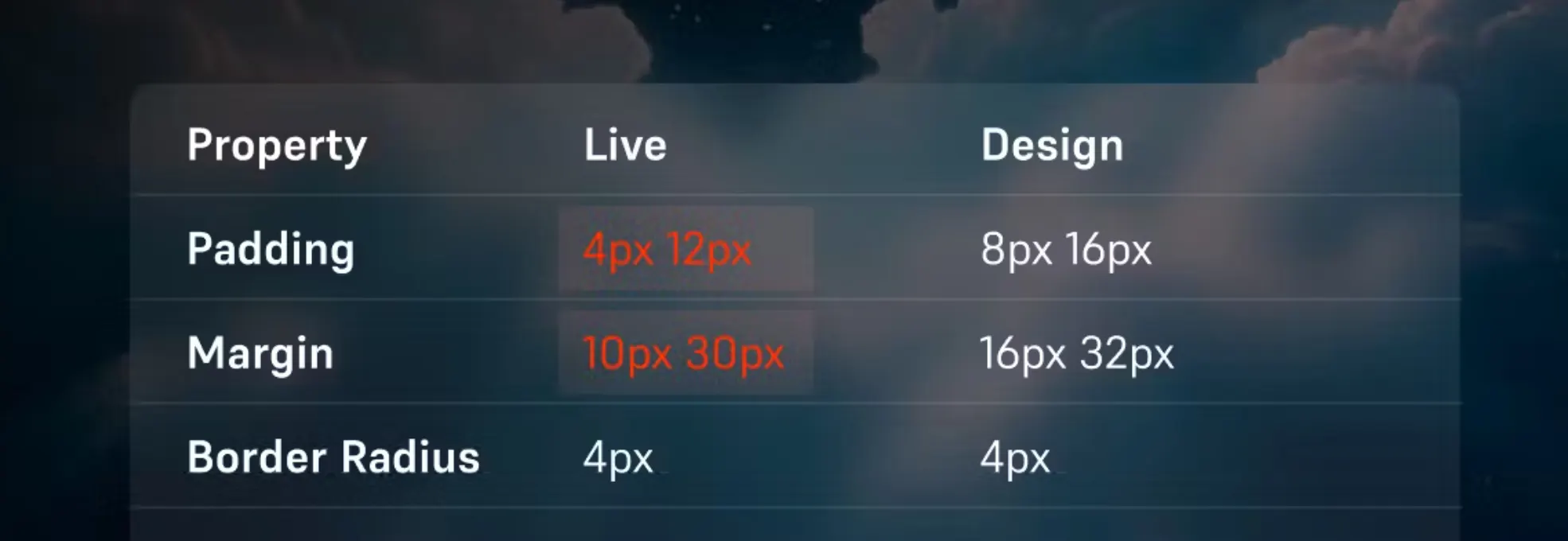
DesignQA runs in Chrome. It auto‑captures screenshots, compares them to your Figma file, and turns annotations into bug reports. Share links directly with devs through Slack, Jira or Notion. One click, no guesswork.
🔥Our Take: Reporting design bugs has always been a mess. You’re stuck describing misalignments no one else can see, hopping between tools just to point out a three‑pixel shift. DesignQA strips the process down to one click and gives teams a shared source of truth. It won’t fix your inconsistent font weights, but it will make sure someone else has to care.
Daily Top Products


