SideNotes
Quick notes on screen edge
406 followers
Quick notes on screen edge
406 followers
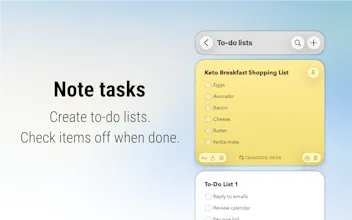
SideNotes is a quick-access notes app that lives on the side of your screen. Always available, even in full screen. Format text with Markdown (markup stays hidden), make task lists, customize with themes and lots of settings, sync via iCloud.
This is the 2nd launch from SideNotes. View more

SideNotes
Launched this week
A beautiful note taking app with superpowers. It shows and hides on the side of your monitor to manage your notes distraction-free. Keep your notes organised, personalised and always at your fingertips. Markdown, tasks, pictures, colors, folders included.


Free Options
Launch Team

Apptorium
the "always available even in full screen" detail is what makes or breaks these. i've tried 4 stickies replacements and the moment i go full-screen on figma or zoom, they hide and i lose the thread. how do you handle multi-monitor — does each display get its own side?
Apptorium
@qifengzheng Then try SideNotes.
It can display the same window on each display. However, only one window at a time.
@m_krzywonos mirrored across displays is workable for one-context days but the use case i was asking about is the opposite — left monitor has the meeting note, right monitor has the code note, both visible. is per-display independent windows on the roadmap?
Apptorium
@qifengzheng It's not on the roadmap, but I'll keep that in mind. Thank for the suggestion!
This looks interesting and I wanted to say thank you for the simple one-time pricing. In a world where most developers want to make everything a subscription, it’s delightful to see an application that I only have to pay for once.
I watched the YouTube video walk-through and it did not explain how or where the data is stored. Do you use iCloud and is that how you manage multiple devices? More information about data storage and backup/synchronization would be really helpful!
I did some research on your website and I found that backups are not stored in iCloud Drive by default, but it looks like they can be. Does that mean by default? Someone who installs side notes on multiple devices has unique data sets for each device unless they make this change? How do you handle the same note being updated on different devices? How fast does the data tend to get synchronized?
I’ll just keep replying to myself as I work through figuring this out for myself. 😂
I see that upon install of the app, iCloud is the default and so it seems like your documentation needs to be updated or have that tip be removed completely since it’s no longer relevant.
Apptorium
@jasonrdunn Yeah, sorry for not responding immediately. I guess we live in different time zones :)
on macOS it's not default - you need to opt in in the introduction. Could you tell me what tip are you referring to?
Anyway, all those tips will need to be updated soon. The last update introduced lots of changes and completely new Settings window
@m_krzywonos oh, sorry, it wasn’t a criticism that you weren’t responding quickly, time zones are a thing, it was more I felt silly responding to my own posts so made a joke about it.
This was the tip I found: https://www.apptorium.com/sidenotes/tips/how-to-store-backups-in-cloud
I did the install and saw the default flow for iCloud storage. Liking the app so far. Are you aware of the bug where, if text in a note is in a selected state, the app won’t vanish? I have it configured for the left side, hotbar function.
Ever thought about auto-shrinking (partially collapsing) notes that are long?
Apptorium
@jasonrdunn Yes, I'm an old-fashioned developer in regards to that matter.
Data is stored locally, in an sqlite database – that's a standard storage in CoreData. And it's synchroznized to your iCloud account. iCloud sync. is optional on macOS app and always enabled in the iOS app.
Amazy.uk
Apptorium
@panphilov Not in any simple way. You could try to use Apple Shortcuts or Apple Script for that, but it won't work perfect, as Apple Notes has a closed format.
Does it also has reminders like Todoist app where writing a note can sometimes stay there for hours and the deadline has passed away.
Apptorium
@keyurgarsondiya No, it does not