A new Help me schedule button appears in @Gmail when @Gemini detects scheduling intent in a draft, displaying available time slots pulled from your @Google Calendar.
Senders can edit or add options before inserting the suggestions into an email as an in-line picker for the recipient.
@Gemini uses cues such as requested duration or timeframe to tailor suggestions, like offering 30-minute slots next week when that is specified.
When the recipient selects a time, @Google automatically creates a meeting on both participants calendars.
The feature is limited to two-person scheduling and requires both parties to use Gmail with Google Calendar, with rollout beginning today for Workspace customers and Google AI Pro and AI Ultra subscribers as part of a broader Workspace AI push.
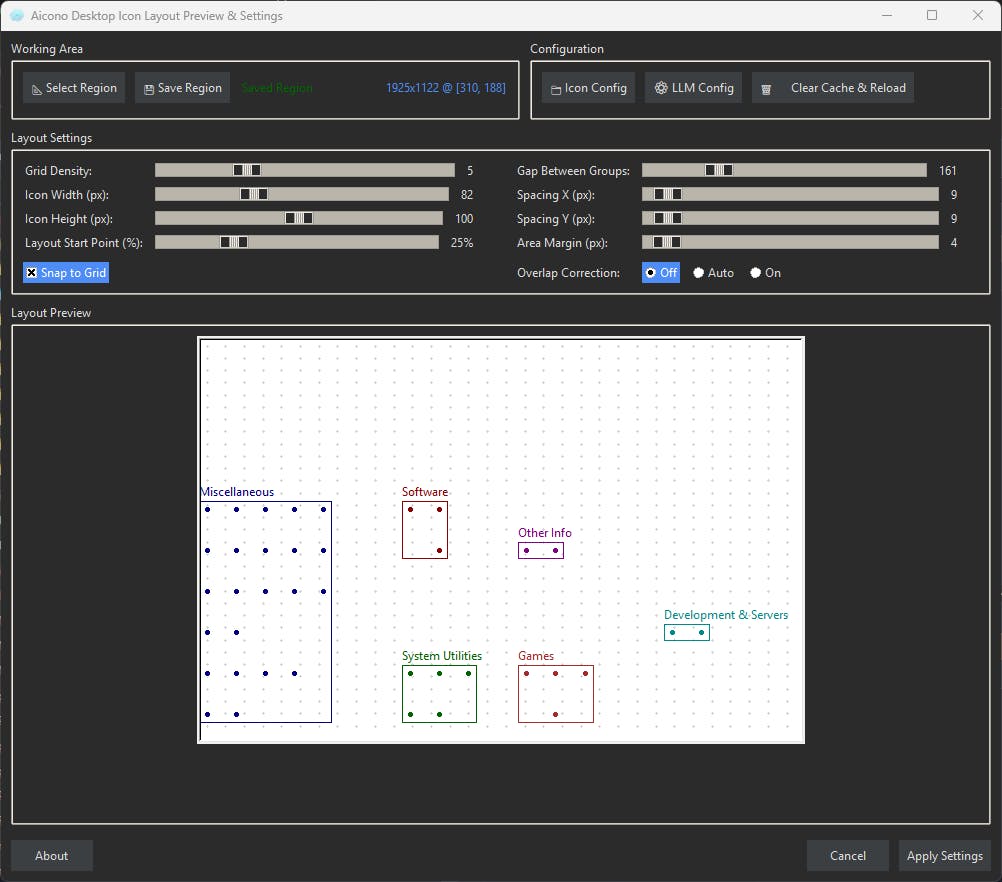
Aicono is a lightweight Windows utility that automatically groups and arranges desktop icons by semantic similarity, turning a cluttered desktop into a stable, high density grid that stays organized over time. It uses a fast local model for name/content similarity and a grid like layout for quick visual scanning, with adjustable spacing, filters, and WYSIWYG for instant access early feedback from power users is especially welcome.
Business Operations Managers often spend hours translating technical jargon into something the rest of the team can understand. It s repetitive, time-consuming, and honestly not the best use of your time.
That s why we built the Explain This to a Non-Technical Team Dynamic AI Template in Slashit.
Here s how it works:
Enter your project name / description
Add key technical terms
Slashit App AI instantly generates a simplified, clear explanation for non-technical colleagues
Curious to read some insights from developing tech products with ADHD/neurodivergent users in mind. What design decisions made the biggest difference? What assumptions were wrong?
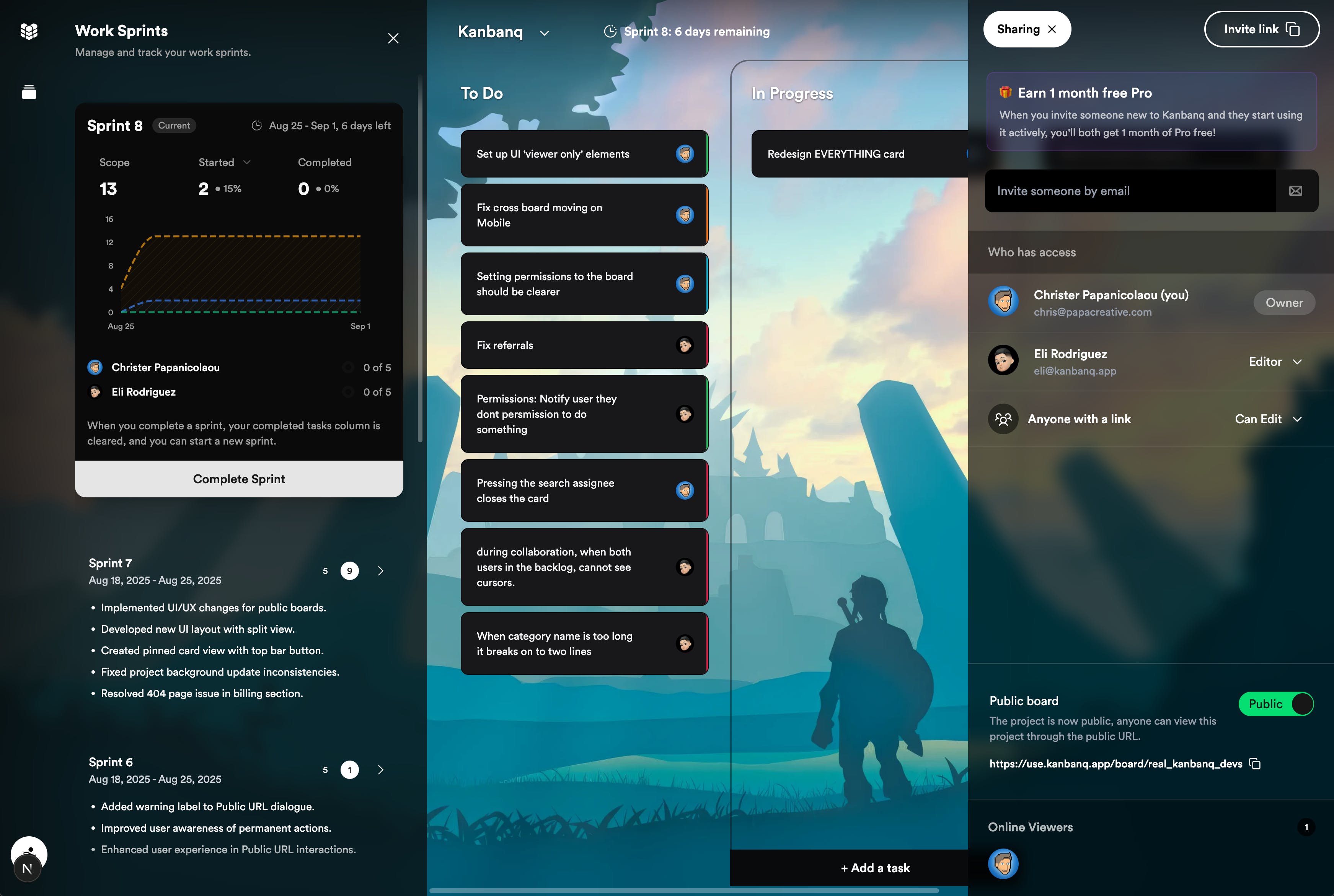
Big update today! v0.2 is out and it brings some features we ve been itching to use ourselves. Here s what s new and how you might use it:
New stuff:
Public boards with shareable URLs show off your roadmap to the world. Perfect for indie devs who want to build in public or for agencies that want to share progress with clients without sending endless screenshots.
Community foundations the groundwork is in for voting, suggestions and comments. Imagine your users being able to upvote bugs or propose features directly on your board.
Redesigned sprint analytics now with better graphs and a single panel view. Want to see if your last sprint was more cruise control or crash landing ? The new analytics will give you a clearer picture.
Background customisation solid colours, gradients and meshes if you re feeling fancy. Minimalist mode for focus, or add some personality (yes, puppies are still an option).
Unified sprint panel no more clicking between two different places. Everything s in one spot now.
As I come really close to launching "MarketFit", I have read about benefits of engaging a Hunter - both from the perspective of credibility and visibility.
I have heard that some Hunters are more focused on hunting in a niche eg only Dev tools, while others are agnostic to the niche/category. So, is it really like approaching each hunter individually and checking their interest in hunting your product or is there a forum via PH?
Also, for those who already got a hunter for their product, did you see the difference in the interest in your product? How long before did you reach out to hunters? Did they charge you money (directly or indirectly)?
Also, any Hunters reading this - would be great if you could help us.