Launching today

Zipgeist
Open zip, RAR and 7z files in Finder like normal folders
2 followers
Open zip, RAR and 7z files in Finder like normal folders
2 followers
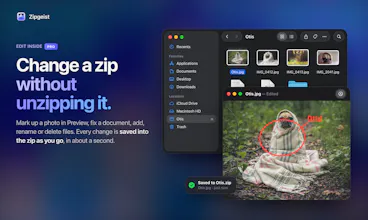
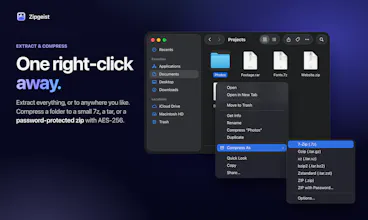
Open zips like folders. Zip, RAR, 7z and tar archives open right in Finder, in under a second, with nothing extracted. Preview files, drag out what you need, then close the window. There's nothing to clean up. Edit a zip without unzipping it. Extract everything 3.4× faster than Archive Utility. Create 7z archives and password-protected zips with a right-click. No waiting. No clutter. Just your files.



Free Options
Launch Team

Dropbox SignSimple, secure eSignatures for the way your team works.
Promoted
On a Mac, opening a zip means unpacking all of it. A full copy of everything. Another folder to clean up. And a wait, even when you need just one file.
Zipgeist changes that. Zip, RAR, 7z and tar archives open in Finder like any other folder, in under a second. Take what you need. Close the window. Nothing is left behind. You can even edit a zip in place, and every change is saved as you go.
Free to download. Pro is a one-time purchase. Requires macOS Tahoe.