Launching today

Yuzu Shot
Capture, annotate and save screenshots on Mac
2 followers
Capture, annotate and save screenshots on Mac
2 followers
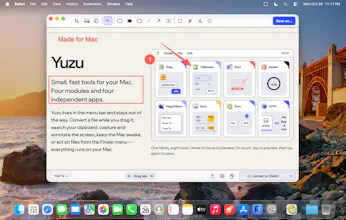
Capture an area, window or full display with ⌘⇧4/5/3 and the editor opens right away, with the raw shot already on your clipboard. Fourteen tools with one-key shortcuts: arrows, shapes, text, counters, redaction, pen, emoji, crop and frame. ⌘S saves; export PNG, JPEG, HEIC or WebP. Annotate any image from Finder too. Local only: nothing uploads unless you press Upload. Beta for macOS 14+.


Free
Launch Team

CloudflareDeploy serverless functions globally in seconds
Promoted
Hi Product Hunt! I'm Nguyen, the maker of Yuzu Shot.
Press ⌘⇧4 for an area, ⌘⇧5 for a window or ⌘⇧3 for the full display, and the editor opens straight away, with the raw shot already on your clipboard. Shot guides you to turn off macOS's own screenshot shortcuts so the chords reach it, and every shortcut can be changed.
• Fourteen tools: crop, add image and frame to prepare the shot; select, shapes, line, arrow, text, redaction, counters, pen and emoji to annotate it. Each annotation tool has a one-letter shortcut and remembers its last style.
• ⌘S saves; ⌘⇧S exports PNG, JPEG, HEIC or WebP.
• Right-click an image in Finder → "Annotate in Yuzu Shot".
• Local only: nothing is uploaded unless you press Upload (Cloudflare R2 or Filebin).
It's a beta for macOS 14+. Feedback on the tools you reach for most is very welcome!