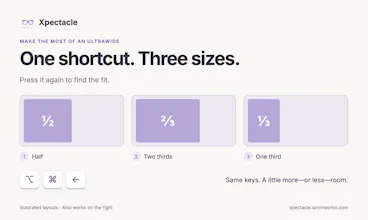
A powerful window manager for your Mac. Move, resize, and center windows with keyboard shortcuts. Free, open source, and inspired by Spectacle. Move, resize, and center your Mac’s windows with keyboard shortcuts. Xpectacle is a free, open-source window manager inspired by Spectacle, rebuilt in Swift for Apple Silicon.
Hi Product Hunt — I’m Diego. Xpectacle started because I wanted to keep using a small tool I loved.
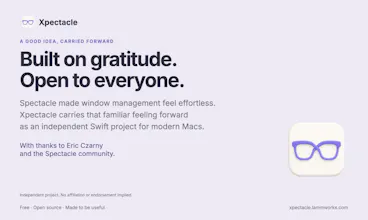
That tool was Spectacle, the free Mac window manager created by Eric Czarny and its contributors. Move a window, resize it, get back to work. Its shortcuts became muscle memory for me.
After Spectacle stopped being maintained, I wanted to carry that feeling forward on modern Macs. With help from Claude and ChatGPT, I started rebuilding it in Swift and SwiftUI. The result is Xpectacle: a free, open-source window manager with its own identity, inspired by a very good original.
You can move windows with keyboard shortcuts, center them, maximize them on the desktop, or arrange them in corners. There’s also drag-to-edge snapping, undo, and saved layouts for windows you already have open. No account or subscription is required.
This is my way of paying it forward. Thank you to Eric and everyone who contributed to Spectacle. Their work made this possible, and the original MIT notices remain in the project. Xpectacle is independent; it is not an official Spectacle release or an endorsed successor.
Claude and ChatGPT helped me build the app. They aren’t involved in moving your windows: that happens locally on your Mac.
I’d love to hear which window arrangements you use most — and where the app gets in your way. If you find a bug, your macOS version, affected app, and steps to reproduce it will help enormously. Please leave private window titles and documents out of public reports.
Try it: https://xpectacle.lammworks.com
Source and issues: https://github.com/lammworks/Xpe...
Original Spectacle: https://github.com/eczarny/spect...
P.S. I also make Gaugelet, another free, open-source Mac app from Lammworks. It puts your ChatGPT and Codex allowance in the menu bar, so you can see your available usage before hitting a limit. If that sounds useful: https://gaugelet.lammworks.com