
x1
Lovable for iPhone apps go from idea to App Store
938 followers
Lovable for iPhone apps go from idea to App Store
938 followers
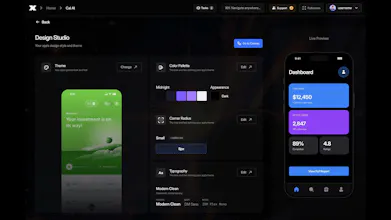
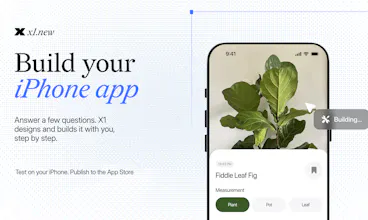
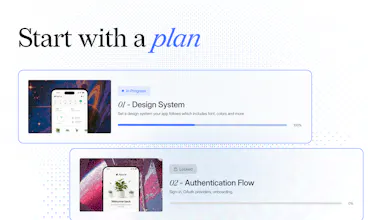
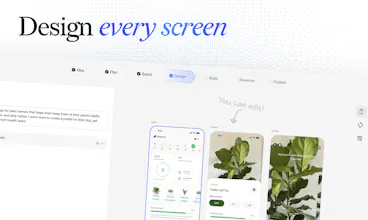
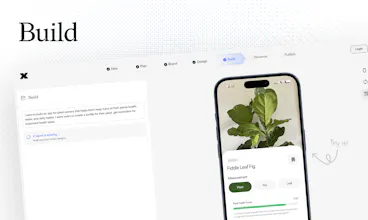
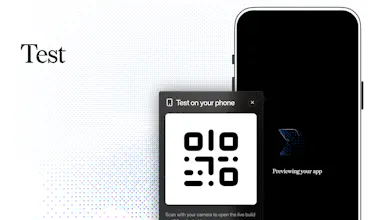
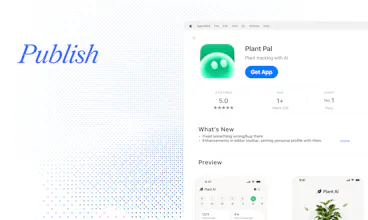
X1 is an AI app builder that takes you from an idea to an iPhone app you can publish on the App Store. Instead of trying to generate the entire app from one prompt, X1 guides you step by step. It asks focused questions, designs each screen for you to review and edit, then builds the app in stages. Preview and test it on your iPhone as you go. When it’s ready, X1 prepares your App Store listing, screenshots, and submission. No coding required.
Free Options
Launch Team

Customer.ioAutomate Messaging Everywhere — Startups Get 12 Months Free
Promoted
Congrats @manil_lakabi1 How's it different from Rork in practice? Both promise real iOS apps without code.
@boyuan_deng1 Yeah, surface level the promise is similar. The biggest difference is how X1 thinks about building the app.
We try to emulate how a strong product team actually works: figure out what should happen, make the product decisions, design the screens, build that piece, test it, then move on.
AI accelerates each of those steps instead of pretending they can disappear.
So rather than “describe your whole app and hope the model gets it right,” X1 works through it with you piece by piece and keeps those decisions connected as the product evolves.
That’s really the bet: AI should compress the product development process, not remove it.
Quick question: How does this compete with Rork? https://rork.com and glaze by raycast https://www.glaze.app/ ? how do you differentiate? or a better question whats better or different with x1?
@conduit_design Glaze is a bit different since it’s focused on Mac apps. Rork is the closer comparison.
The easiest analogy is building a house.
Rork is more like telling a really fast construction crew, “Build me a 6-bedroom house,” and they start building.
X1 first asks who’s living there, where the bedrooms should go, what matters to you, etc. Then it makes one blueprint and builds the house piece by piece against that blueprint.
Both can build the house. Our bet is that the blueprint + process matter a lot once you start changing things.
If you move a bedroom later, X1 should understand that the plumbing, hallway, electrical, etc. might need to change too instead of just moving one wall.
I like that you are asking for brutal feedback! what kind of feedback has surprised you most during development?
@james_carter35 Well there hasn't been much pushback on this new way of building an AI builder, most people are genuinely intrigued by the more controlled approach.
But honestly, during early development the thing that surprised me most was how much people pivot mid build. I kind of assumed folks would come in with a fixed idea and follow it through, but what actually happens is they get a few milestones in, see it running on their phone, and go "actually, no, let me change this core thing." and at one point it was frustrating to see people start with building an e-commerce system and pivot to a live streaming app for some reason (it still triggers a form of PTSD when I remember dealing with that lol) At first that felt like worst case.
But it's really a byproduct of the thing X1 is actually built around, which is keeping all the context of your app present without it eating up or plaguing your future decisions. Once that context holds, a pivot stops being scary, because changing one core thing updates what depends on it instead of quietly breaking the rest of the app. So it reframed how much that foundation matters.
Okay so this is by far the best app builder I've seen. Seriously. It handles all of the heavy lifting. So far this is the only app builder that calls me out on my build, keeping me grounded in reality and not hallucination. It doesn't inflate my idea or fake promise me something in the build and not deliver. I've tried others and they don't really deliver a complete experience. I need something that can build but not only build maintain and x1 does that.
I really appreciate that I publish an app not some shell. It's one thing for the app to look pretty but it also needs to work! I've been humiliated before using other builders and this is the first one that actually delivered on its claim. It's not like it replaces the human, it's a compliment..a companion that has my back and doesn't forget or apologize for skipping something because for me it hasn't.
I'm curious about one thing. What lies in the future? Because this is really strong for a launch. Congratulations on the launch!
the ask focused questions approach sounds smart! what happens when a user gives X1 an unclear or contradictory requirement?
@barnaby_lloyd If something is unclear, it asks a narrower question. If two requirements conflict, it surfaces the conflict and makes you choose before it keeps building.
The rule we’re trying to follow is basically: assume the cheap/reversible stuff, ask about the decisions that can break the app later.
Congrats on the Launch! I know from building mobile apps that the biggest return on your build comes from the iOS app users. Is this why you chose to focus on iOS only?
could X1 take an existing app idea and help redesign the entire user experience from scratch?