
WP Triage
Get alerted to vulnerable WordPress sites before they break
18 followers
Get alerted to vulnerable WordPress sites before they break
18 followers
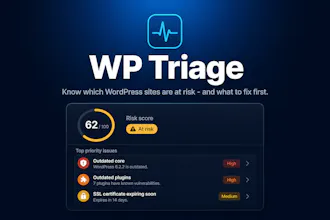
WP Triage connects to your WordPress sites and continuously checks plugins, themes, and core against known vulnerability data. Instead of digging through dozens of dashboards, you get one clear triage list. It scores each site by risk so you always know what to fix first. Alerts let you act before a problem becomes an incident.


A bulk action to mark false positives across multiple sites would save a ton of time for agencies juggling dozens of installs. Right now flagging the same noisy plugin on each one feels repetitive, and a way to suppress or whitelist recurring findings site-wide would make the triage list way more actionable.
@dokgoz_sal40692 that's a really good point, thank you for your feedback!
I plan to add something like this very soon; hopefully will be able to push it within the next couple of days.
At some point it became an interesting question for me - are specific professions naturally drawn to specific platforms? Framer, for example, has clearly become the platform for designers and startups. So I'm curious - who is the typical WordPress user today?
@julia_shtogren Yeah that's a good question. It's not one I'm attempting to answer with this product.
There are plenty of current WordPress users and WP Triage is specifically for agencies and freelancers juggling many client sites. It's less about “pick a platform to build on,” than “don’t miss the one site that’s about to break.”
How does it handle sites that aren't hosting on your platform, like self-hosted ones behind a firewall? Curious if the check-in is lightweight enough not to slow things down.
@semanurnzwk Self-hosted is the main use case since WP Triage doesn't host your WordPress sites at all.
You install a small plugin on each site. It sends an outbound HTTPS call to WP Triage once a day (plus a manual “sync now” if you want). There are no inbound connections, tunnel or firewall holes on your server. As long as the site can reach wptriage.app over HTTPS, you’re good.
The check-in is intentionally lightweight: just plugin/theme names and versions, WordPress version, and PHP version. One small JSON POST via WP-Cron, not real-time polling. It's designed so you can leave it on client sites without noticing it.
vuln alerts before sites break is so usefull for agencies 🔧 nice one