No reviews yetBe the first to leave a review for Workspaces, Email & Tasks in 1 Extension
Maker
📌
Hey Product Hunter!
I built Ecqo because I was drowning in browser tabs and missing important emails while switching between client projects.
Most productivity tools solve one problem. Ecqo solves three at once — right inside your browser toolbar:
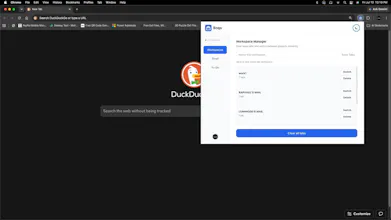
1. Workspaces — Save and switch between named sets of tabs instantly. No more losing your research, no more "where was that tab?" moments.
2. Email triage — Read, reply to, and action Gmail emails without opening a new tab. Mark done, reply, move on.
3. To-Do list — Tasks linked to your email workflow, with due date reminders delivered as desktop notifications.
It is built for freelancers, founders, consultants, and anyone who lives in their browser and manages their own inbox.
The extension is free to try for 5 days — no card required. After that, Basic starts at $3/month.
I would love your honest feedback — especially from anyone who has tried similar tools. What is missing? What would make you switch?
Thanks for hunting us!
Report
How does the tab workspace saving actually work across restarts and different devices? Wondering if it syncs with a Google account or stays local to each Chrome install.
Report
Maker
@mervekatn2mai Thank you for the question. Ecqo syncs with the users individual Google account and everything stays local for each install. When you you open it in a different machine, under the pro version, you will get every workspace saved synced to this new machine.
Report
Would love to see a quick search bar at the top of the popup so I can jump straight to a saved workspace without scrolling. Once the list grows past a handful of saved sets, that would save a lot of time.
Report
Maker
@kerim1390113 Thank you very much for this, I sure will add that feature to ease up time spent when using Ecqo. Appreciated.
Report
The popup loads fast and switching between tab sets actually feels smoother than the native Chrome groups I've been using. Wish the free tier had one saved workspace, but the Gmail triage is genuinely handy for my messy inbox.
Report
Maker
@cumatfcj Thank you very much for this. The Basic tier has provision for two saved workspaces and email triage. You can try this and see if it works for you. Appreciated.
Thank you.
Report
Saved a few workspaces and it actually remembered them after restart, which is more than I can say for the last extension I tried. Inbox quick actions are basic but it beats juggling tabs and Gmail separately.
Report
Maker
@gomuk10419 Thank you for the comment, I appreciate it.
Report
Love how everything lives in that tiny popup without feeling cramped, especially the way Gmail triage sits right next to your saved workspaces. Smart execution.
How does the tab workspace saving actually work across restarts and different devices? Wondering if it syncs with a Google account or stays local to each Chrome install.
@mervekatn2mai Thank you for the question. Ecqo syncs with the users individual Google account and everything stays local for each install. When you you open it in a different machine, under the pro version, you will get every workspace saved synced to this new machine.
Would love to see a quick search bar at the top of the popup so I can jump straight to a saved workspace without scrolling. Once the list grows past a handful of saved sets, that would save a lot of time.
@kerim1390113 Thank you very much for this, I sure will add that feature to ease up time spent when using Ecqo. Appreciated.
The popup loads fast and switching between tab sets actually feels smoother than the native Chrome groups I've been using. Wish the free tier had one saved workspace, but the Gmail triage is genuinely handy for my messy inbox.
@cumatfcj Thank you very much for this. The Basic tier has provision for two saved workspaces and email triage. You can try this and see if it works for you. Appreciated.
Thank you.
Saved a few workspaces and it actually remembered them after restart, which is more than I can say for the last extension I tried. Inbox quick actions are basic but it beats juggling tabs and Gmail separately.
@gomuk10419 Thank you for the comment, I appreciate it.
Love how everything lives in that tiny popup without feeling cramped, especially the way Gmail triage sits right next to your saved workspaces. Smart execution.
@peksuyurswaj Thank you very much. Appreciated.