
Workspace+ - Restore macOS workspaces
Workspace+ lets you restore workspaces with a single click
3 followers
Workspace+ lets you restore workspaces with a single click
3 followers
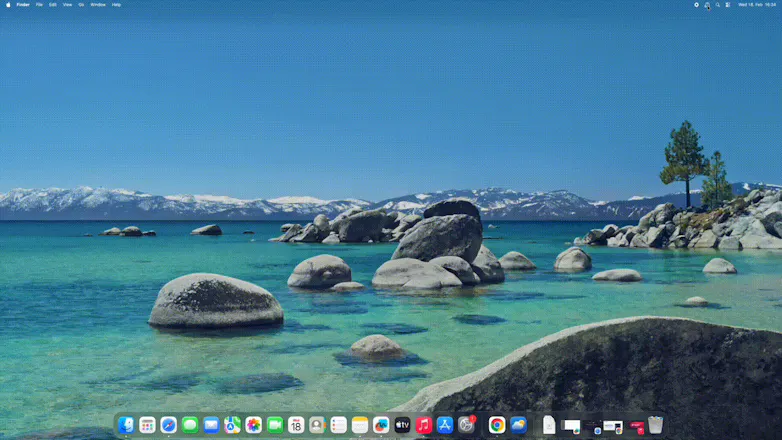
Workspace+ is the intelligent workspace manager for macOS that captures and restores your entire work environment — all your apps, windows, files, browser tabs, and their exact positions — with a single click or keyboard shortcut. ✨ Key Features: • Pixel perfect restoration across multiple displays • Restoring of browser tabs and windows • Triggers to restore automatically when an external display is connected • Custom icons and colors •Export/import workspace configurations


Free Options
Launch Team

Floot MCPBuild and ship web and mobile apps inside Claude or ChatGPT
Promoted
I need to switch my setup (apps, tabs, etc.) multiple times a day depending on the project I’m working on. None of the existing solutions I have tested worked very well for my use case (restore tabs across multiple browser windows). Thats why I created Workspace+. It is as easy as that:
1. Open all the apps, files, and browser tabs you need for a specific project. Arrange your windows exactly how you like them across all your displays.
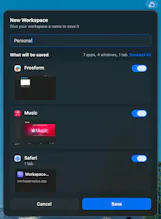
2. Click the Workspace+ icon in your menu bar and save your current setup. Give it a descriptive name like "Client A," "Work," or "Study."
3. Need to switch contexts? Select your saved workspace and watch everything reopen exactly as you left it — in seconds. Use auto-triggers to make it completely seamless.
It is such a time saver and I can focus on what matters again. Just try it out, I'm looking forward to your feedback! :)