
Wombat
https://usewombat.app/
11 followers
https://usewombat.app/
11 followers
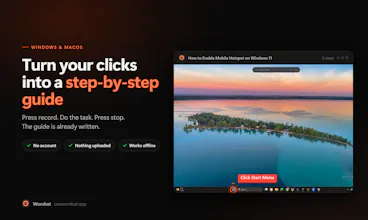
Wombat records a process once and writes the guide for you. Every click becomes a step: a screenshot zoomed to what you clicked, the control outlined, and the instruction already written from the control's real name. Unlike browser extensions, it works in any desktop app. And unlike the cloud tools, nothing is uploaded: no account, no server, works offline. Desktop capture, redaction and export are free; Pro only removes a footer.


Free
Launch tags:Productivity
Launch Team / Built With


Render Sandboxes: a computer for every agentGive every agent its own machine. Starts in under a second
Promoted


Hi Product Hunt 👋
I built Wombat because I kept doing the same thing by hand: screenshot a process
step by step, paste it into a doc, write out what to click, then repeat it next
month for someone else.
Press record, do the task, press stop. Wombat captures every click as a screenshot
with the instruction already written — and it reads the control's name from the OS
accessibility tree.
Two decisions I'd defend:
It's local. No account, no sign-up, nothing uploaded. Your screenshots stay on
your machine and the app works with the network off. That's not a feature I bolted
on — there's no server to send them to. The category standard is cloud storage, and
if you're documenting an internal admin panel or anything with customer data on
screen, that difference is the whole decision.
Redaction is free, forever. Blur, then "apply permanently", which actually
overwrites the pixels rather than covering them. Hiding your own data is not a
premium feature, and I won't put it behind the licence. Same for desktop capture
(any app, not just the browser) and HTML export — both are free here, and both are
paid tiers elsewhere.
Also in there: typing steps (the text you enter becomes its own step; password
fields are always redacted), auto-zoom to the control you clicked, arrows/boxes/
labels, adding a step you forgot, and fixing a label it guessed wrong.
Windows and macOS. It's early and I'm shipping most weeks.
What I'd genuinely like to know: when you last wrote an SOP or training doc, which
part made you give up — assembling the screenshots, or writing the steps? I keep
guessing at which half to fix next.