
Winston
Understand what is slowing down and filling up your Mac
8 followers
Understand what is slowing down and filling up your Mac
8 followers
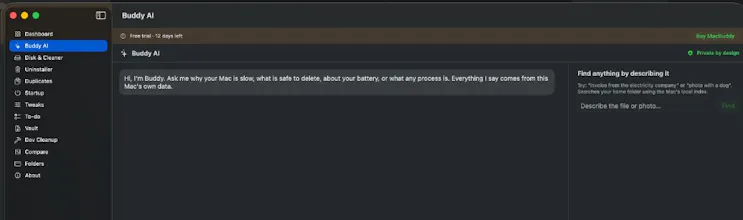
Winston reads your Mac's storage, memory, CPU and battery, explains what needs attention in plain English, and names every file before it removes anything. Removals go to the Trash. Nothing is uploaded. One payment, no subscription. macOS 14+. Free 14 day trial


Free Options
Launch Team

AWS Activate CreditsCredits that fuel your startup’s next milestone
Promoted
Everyone is a now a developer, they can ship much faster but then the machines are getting bloated by things they don't know about.
Hi all. I built Winston because I got tired of Mac cleaners that show you "8GB of caches" and a big button.
Winston is a macOS companion that explains what is slowing down or filling up your Mac, then helps you fix it safely (you approve every cleanup).
• 14-day free trial, no credit card
• One-time purchase (not a subscription)
• Notarized by Apple
• Built for everyday Mac owners, vibe coders, and people running local AI agents
Download / site: https://www.fuzzelogicstudios.com/apps/winston/
We've updated Winston
Summary of what’s in Winston 0.4.1 (vs 0.4.0), from this work:
Buddy / Explain My Mac
- Dev Centre rescan no longer clears Ollama (and other) selections
- Ask Winston text fields always accept typing
- Ollama / LM Studio / Docker space questions get live measurements instead of a generic feature blurb
Winston Timeline (new)
- Searchable local log of Explain My Mac Q&A, approved actions, and automation runs
- Pin insights for later; pinned + recent entries feed Apple Intelligence context
- Sidebar: Winston → Winston Timeline
Menu bar
- Shows Available memory first (Memory Diag style), plus breakdown
- Free up memory is the primary action
- Default: stay in the menu bar; main window only when you open it
Ollama cleanup (bugfix)
- Cleanup no longer wipes `~/.ollama/id_ed25519`
- Only clears models / blobs / manifests / cache
Release
- 0.4.0 → 0.4.1
- Notarized: Already for the update