Wingman

Wingman

Run Large language models locally for free in minutes.

6 followers

Wingman is a chatbot that lets you run Large Language Models locally on PC and Mac (Intel or Apple Silicon). It has an easy-to-use chatbot interface so you can use local models without coding and or using a terminal. First beta release, Rooster, now available!
Wingman gallery image
Free
Launch tags:Artificial Intelligence•GitHub•Tech
Launch Team
Anima - OnBrand Vibe Coding
Design-aware AI for modern product teams.
Promoted

What do you think? …

e/ectric Curtis
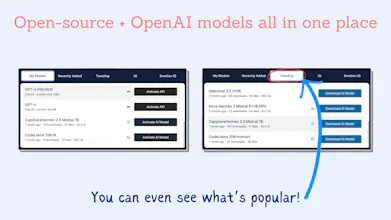
Hey Product Hunt! There are so many models coming out these days, but it’s a pain to download them just to find out if it might work on my machine. I got tired of guessing if my MacBook could run Llama 2, or if my desktop could handle Mixtral 8x7B. Also, most of the other options for running Large Language Models locally are difficult to use. You have to code or use terminals, or they give you way too many options. It’s way more technical than using ChatGPT. There needs to be an easier option. Introducing Wingman, the best way to run LLMs locally. Features: - Easy to use UI, zero-configuration, with no terminals and no code required. - Runs on Windows and Mac (Intel or Apple Silicon). - It’s a free, open-source app. - Run Large Language Models (LLMs) like Meta’s Llama 2, Mistral, Yi, Microsoft’s phi 2, OpenAI, zephyr and more all in the same app with a familiar chatbot interface. - Quickly swap between models mid-conversation for the best results. - Wingman will evaluate your machine so you can see at a glance what models may or may not run on your hardware. We won’t stop you from trying any of them, though! My first beta release, Rooster, is available now. It’s free, and I can’t wait for you to try it out. Let me know if you have any questions about or feedback for the app!