Whipnote is AI that takes real-time notes on your conference calls 🚀 So you can follow-up 10x faster and never drop the ball. Perfect for sales, support, market research, user interviews, investor, & team calls. + 3.
No reviews yetBe the first to leave a review for Whipnote
Congrats @sabrina_atienza! Very compelling product, looking forward to test driving. Any plans for supporting group conference calls that revolve around using speakerphones?
@eric_miller appreciate it, Eric! Making it work for group speakerphone situations is definitely on our road map. We tested that recently and found that using speakerphone negatively impacts audio quality so the transcription accuracy suffers quite a bit. If there's not much background noise (i.e. people are indoors, office isn't too noisy) and people are speaking clearly, it works with OK accuracy today. But if there's a lot of echoing, noise in the background, or people sound distant (i.e. they're far from the speakerphone), then that hurts transcription accuracy pretty noticeably.
@sabrina_atienza@eric_miller how many of your calls per month are group conference calls with speakerphones vs not speakerphones? helpful for us to know if you're open to share, thanks Eric!
Report
@gramonov I’d have to say majority of my calls are group, but that might not be a common use case for your more software-based customers I suppose. Also any plans to support RingCentral?
Thanks to everyone who joined the live AMA today! 🎁 Drop me a line if you have any more questions. It was great to hear all of your feedback and bounce ideas.
============
Hello Product Hunt, and thanks to @15greenberg for hunting us!
We started Whipnote with the vision of bringing artificial intelligence to our everyday interactions. We've always loved the non-intrusive simplicity of voice/AI apps like Siri and Alexa, but we couldn't find anything that would work for actual human conversations. Today we're excited to announce that Whipnote combines the non-intrusiveness of these voice apps with the ability to fully transcribe our actual conversations in real-time. It's like AI-powered TV live caption, now available for conference calls so that you never miss a key point, question, action item, or objection.
We'd love to hear your feedback on these features:
- automatically joins conference calls
- google calendar integration 📆
- real-time live captioning
- rich text editing
- full transcript
- 100% automated
- only $49/mo compared to $1/min transcription today
FAQs 💡
- proprietary real-time speech recognition AI (we don't use speech APIs)
- proprietary calling infrastructure for the best audio quality (we don't use Twilio)
- privacy and security? www.whipnote.com/privacy-policy
- summarization? not yet! Working on it 🤓
- English only? yes
- transcription accuracy? depends on your audio quality... if you have good audio quality, minimal background noise, minimal accents, and you're not on speakerphone, expect pretty good quality
- call recording laws? https://en.wikipedia.org/wiki/Te...
@sabrina_atienza Great job Sabrina, I was happy to see it was your team (we met through the weave networking app 18 months ago and you were already working on this). Best of luck, starting a trial today.
@mattmg83 hey Mathieu 👋 thanks for your support! would love to get your feedback as you go through the trial
Report
Great tech and I used it when it was just in Beta...
You forget it's there/you set it up and then boom all of your notes are handled for you.
I'm hoping for an entry level plan for small users - while not too expensive @ $ 49/ month for a busy business client, many of my customers are small businesses [< 15 employees] and have very few meetings, they will have a difficult time justifying the price. And typically these small users are
Maybe something like 15 hrs a month for $ 19.99/month? with each additional hour: $ 2 for that month.
I really like that fact that the Privacy Policy goes in details as to what, how, where etc happens with the data! (hug)
Awesome Job! Keep up the great work Sabrina!
@exlemor thanks Emmanuel! Very much appreciate your feedback re: pricing and glad to hear we've made progress addressing security and privacy.
In the near future, we'll have a pricing plan that is a bit more affordable for small businesses that do not have many meetings. I like the idea of limiting it based on a simple and reasonable number of hours per month to keep the math and ROI analysis easy.
@exlemor we worked hard for months to get to "boom all of your notes are handled for you" -- music to our ears to hear you describe the user experience that way
Report
I'm sure that this is a great tech product, but does it actually add value to human comprehension?
Taking notes, and specifically taking notes with pen on paper, has been shown in study after study to deepen the understanding of the subject matter discussed.
Richard Branson is a consummate note taker, so is Tim Cook and many others whose livelihood depends on actually comprehending the conversation they are taking part in.
Note taking is too often seen as a menial office-housekeeping task - and as a result, is often being performed by a woman - when in reality it is a vital tool to help the note taker make sense of the conversation. While you're taking notes, the brain is already sorting, analyzing, cross-referencing and weighing for importance. We're perfectly capable of doing this while taking part in a conversation.
I came out of a 3-hour strategy meeting on Friday with 8 pages of notes. References, ideas, scribbles and scratchings, action items, thought starters, questions... no computer in the world would have been able to deliver anything even approaching the value of these pages.
Men, in particular, need to stop looking at note taking as a low-value, easily outsourced, activity and use it as the powerful tool it is.
@andreasduess all good points, and I agree. I still take notes with references, ideas, random thoughts, questions, confusing points, etc. but nowadays I do all that on top of our Whipnote platform. This way, I don't feel crazy rushed to both (1) capture what was said and (2) capture my interpretation and additional thoughts about what was said.
Our public V1 launched today is limited to (1) capturing what was said. But for months, we've been internally testing features that enable me to fully annotate, edit, highlight, and organize the discussion in real-time as it's all happening. So I can easily project my thoughts and interpretations on top of the actual content of the conversation. It's still early days though... we're working out the many UX kinks and workflows, but if this sounds at all interesting, I'd love to explore with you!
@andreasduess from our sample set so far, the users who find the most value in Whipnote are the ones who view note taking as a high-value activity and therefore actively look for solutions to help them do it better, faster, cheaper.
@gramonov Could you explain this more to me. If I am taking notes during a conversation, I am 100% present and in the moment (#woke #sorryaboutthat). I am not sure how adding a level of technology would make this either faster or cheaper. I am interested in learning how this would make the note-taking experience better.
Hey everyone - for fun, we're going to host an AMA conference call where you can see the real-time notes for the entire conversation! Would love for you to stop by and say hi - we're happy to answer any of your questions and share our story, true AMA style!
=== UPDATE ===
Thanks to everyone who joined the live AMA today! 🎁 Drop me a line if you have any more questions. It was great to hear all of your feedback and bounce ideas.
@choi_kl thank so much! And great question! Short answer is that we work with any platform that has a dial-in number 📞 to name a few...
- iOS
- Android
- Zoom
- GoToMeeting
- JoinMe
- UberConference
- WebEx
- Skype for Business
- FreeConferenceCall
- Daily
- 8x8 conferencing
- RingCentral conferencing
- ShoreTel conferencing
There are 3 ways to make Whipnote join your call:
1) add notes@whipnote.com to your calendar invite as an attendee
2) connect your calendar & Whipnote will automatically join meetings with a valid phone number
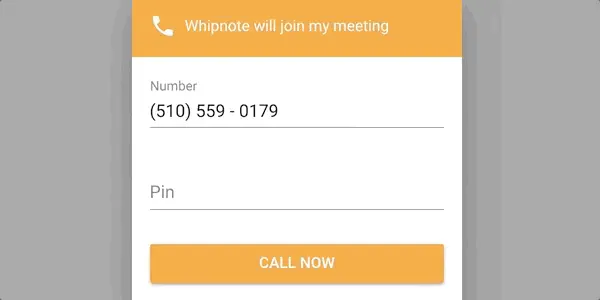
3) even if you don't have a calendar invite, you can just click "Join Meeting" and type in the phone number
You can use whichever method you want. So sometimes you'll have formal meetings with calendar invites. Other times, you might hop on a call with only 10 minutes notice. We account for all these situations and make easy to use Whipnote on a regular basis because we understand people are generally pretty busy and don't want to go out of their way to remember to use something.
Whipnote
Whipnote
Whipnote
Whipnote
Whipnote
Whipnote
Whipnote
Whipnote
Whipnote
Whipnote
Whipnote
Whipnote
Spok
Whipnote
Whipnote
Whipnote
Spok
Whipnote
Whipnote