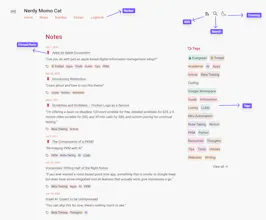
Webtrotion is a highly configurable and easy-to-install website builder, crafted with the Astro framework and Notion. Use it to effortlessly create a blog or website.
Webtrotion was built with a simple idea in mind: most Notion-based builders require at least one of these four things:
- A custom domain or a willingness to use a Vercel-like domain.
- Blog posts editable in Notion while pages are edited in the repo.
- Third-party tools or are not free to use.
- Limited configurability because they rely on third parties like Super.so or require editing multiple code files.
And I did not want that. We wanted something that converts well into a static site, can be hosted on GitHub for free using the github.io domain, and allows easy configuration for both pages and blog posts.
Why Notion and Astro?
- I use Notion for all my notes, and it didn't make sense to download them into an MD file, figure out the logistics, and push/pull with other SSGs like Quarto, Eleventy, Hugo, or Jekyll.
- I could have used another CMS, but I use Notion, and it's easier to keep the content in one place. Notion also offers unique features that other CMSs don’t: WYSIWYG for various components, block-level permissions (to add drafts to post text), easy collaboration, etc.
- There are some NextJS options that kinda fulfill this criteria, but I don't know NextJS and didn’t want to figure it out at the moment, and they often needed publicly shared pages.
Webtrotion vs Notion Sites v2? Check out my thoughts here, a post hosted on my site built using Webtrotion.
Awesome! This looks great and super useful for bloggers and even designers who use Notion to build their design portfolios! Great UI as well, I never say no to a cute pixel cat😆
@kehui_guo A cute pixel cat is always a plus! If you try out Webtrotion and have suggestions or comments, I'd love to hear about your experience (including any friction logs). If you're a developer and would like to see some changes, please feel free to open a pull request. :)
Report
Looks great.
How is it in terms of customization?
The look is pretty similar to basic Notion, but some custom flair would be awesome.
@derkolstad The main idea was to host a website as a static generation output with fixed URLs that still looked like Notion, so I didn't add much customization. However, the colors, fonts, and open graph images for social sharing are quite customizable for theming purposes, that you can see here: Introducing Webtrotion - Extra Configuration Options
This looks incredibly useful for anyone using Notion to manage content.
Questions:
- How easy is it to set up and start building a site with Webtrotion?
- Are there any limitations on the types of content you can integrate?
Congrats on the launch!
@kyrylosilin Pretty easy for anyone familiar with Github. Medium-ish difficult for someone not familiar with github at all. Once setup though, it is almost one and done and doesn't need any updating (unless you want to update with new webtrotion features that are added). Instructions for setup are here: Introducing Webtrotion
In terms of types of content that can be integrated, there is one MAJOR blocker: it does not support inline databases, subpages (page mentions are supported) and some other stuff (column sizes, image crops, alt text in images, comments etc, everything not exposed in Notion through API). While inline databases are not supported, simple tables are a tiny bit jazzed up and can be sorted and searched, for example here.
Combine Notion and Astro to build an easy-to-configure, free-hosted static site with the ability to proactively configure sync times on both ends. Very powerful~
Webtrotion
Just Scroll
Webtrotion
Webtrotion
Telebugs
Webtrotion
AutoAE