Voice-Assistant.io is a DIY voice terminal for your own hardware. We provide the ESP32-S3 firmware and open PCB designs to bridge your physical devices with Gemini Live API. - Hardware First: ESP32-S3 ready. We provide Gerber files & 2-click flashing. - No Limits: Native n8n & MQTT integration. Trigger any workflow with custom Function Sets. - Optimized Edge-to-AI: Custom proxy compresses audio, giving you instant Gemini Live API responses on DIY gear.
No reviews yetBe the first to leave a review for voice-assistant.io
Maker
📌
DIY Voice Assistant: Local Jarvis Powered by Gemini Live
Hi everyone! I’m tired of closed ecosystems, sluggish local LLMs, and smart speakers that seem to have a mind of their own. That’s why I built voice-assistant.io — a system that leverages the best of modern AI models (Gemini Live) while keeping 100% of command execution control on your side.
The Core Concept: The model acts strictly as the "brain" for intent recognition, while the "hands" (execution) run locally within your secure perimeter.
Architectural Breakdown:
- Hardware (Voice Input): A simple hardware terminal based on the ESP32-S3 (mic + speaker). It’s easy to assemble on a breadboard or you can order our custom PCB. It is flashed and configured via a few scripts with a user-friendly interface.
- Local Agent (Processor): A lightweight binary (Windows/Linux/RPi/Mac) running inside your network. This agent maintains the connection to your smart home setup and handles integrations.
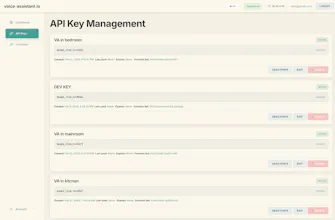
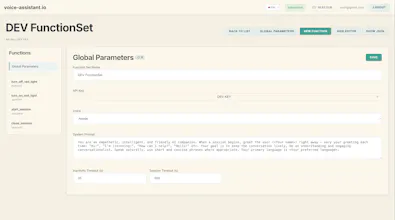
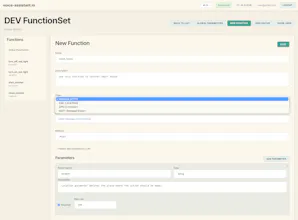
- Dashboard & Proxy: The hub where you define your 'Function Set' (the list of commands the AI is aware of) and route compressed audio traffic.
How the Magic Works (Function Calling):
The model has no direct access to your local server, URLs, or passwords. During a conversation, you ask it to perform a task. The model analyzes the context and sends a JSON execution request to your Local Agent. The Agent then runs the script in your local environment and returns the result (success/error) to the model.
Out-of-the-Box Integrations:
- n8n (Webhooks): Trigger any workflow via voice.
- MQTT: Perfect for Home Assistant, OpenHab, and custom smart home setups.
- EXEC (Local Shell): Run any bash or python scripts on the host machine.
- GPIO: Direct pin control on the ESP32 controller itself.
Two-Way Communication (Alerts):
The assistant isn't just a microphone; it features a dedicated API. You can send a command to play a WAV file (e.g., a siren) or push a text message that the assistant will read out using the model’s voice—complete with emotional tags like "anxious" or "joyful."
DEV vs PROD
- DEV Mode (Free): You can deploy the system using your own Google AI Studio keys. This is great for testing, but subject to Google’s limitations (potential instability, data may be used for training).
-
- PROD Mode: Access stable, enterprise-grade Vertex AI models directly through the dashboard. No need to set up complex GCP enterprise accounts or navigate convoluted billing—we’ve simplified it to straightforward pay-per-second usage right in the panel.