
VKO1
A pad-based visual performance instrument for Apple products
40 followers
A pad-based visual performance instrument for Apple products
40 followers
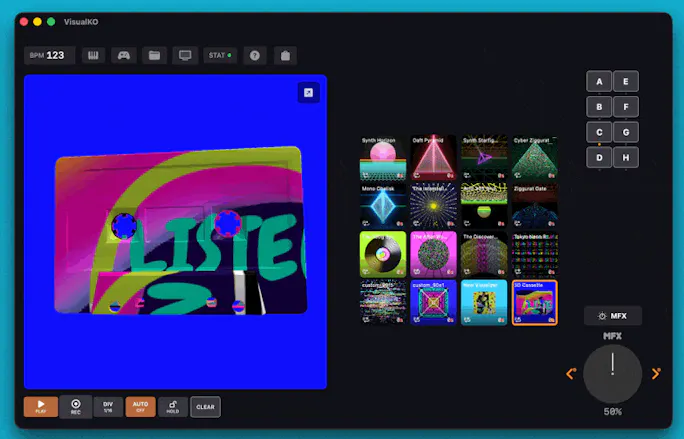
VKO1 is a pad-based visual performance app for iPhone, iPad and Apple Silicon Mac. AutoMix, 53 real-time effects, 25 GPU visualizers, MIDI, Ableton Link.

Hi again! I'm developing VKO1 for Android devices, if this sounds amazing you can join my closed beta here: https://forms.gle/tY7nQASU7xU7mJTm9
Android version is built from scratch using a 2D/3D Vulkan rendering engine instead of Apples Metal engine, but in spirit its very much the same as iOS/Mac version. Also, you write shaders as OpenGLSL.
Read more here: https://temperamento.net/vko1/VKO1-Android.html
Here's a great overview vid for Android beta testers: https://youtu.be/0cvf-lxL8-M?si=02p97NKcYEpaGZAY
Hi! Here's a neat short tutorial giving you a couple of tips and tricks on how-to create your own metal shaders:
https://youtu.be/UBaVSENxAvg?si=U0LmfD1kR__Cndx5
The very latest version of VKO1 now can be co-piloted via agentic workflows! https://temperamento.net/vko1/manual.html#claude-control
Join my beta test for Android!
https://forms.gle/jHsHEQwhP4brpjYB7
Working on 1.25 update that is adding really nice things, here's a couple:
MEDIAMESH3D — YOUR MEDIA ON A 3D MESH
New generator node that wraps any image, GIF, or video onto a real-time 3D mesh rendered in Metal. Six mesh types selectable in the inspector: Sphere, Cube, Plane, Torus Knot, Icosphere, and custom imported OBJ
Audio-reactive scale — connect Beat Strength or Bass to the Scale pin and the mesh pulses with every hit
Cross-device sessions — custom OBJ files are embedded in the session bundle; open the same session on iPad or Mac and the geometry travels with it
QUICK SHORTCUT MENU
Long-tap + drag down on pad — A floating overlay appears with Edit Graph, Background Color, Speed, and Effects. Quick access without navigating menus
Mac Catalyst mouse button support — Map the shortcut menu to Middle, Button 4, or Button 5 in Settings
NODE GRAPH — NEW INPUT NODES
Microphone — New input node that outputs live microphone amplitude as a 0–1 float. Sensitivity adjustable via inline drag slider directly on the node. Wire it to any numeric pin for microphone-reactive visuals without audio routing setup
Spectrum — New input node that outputs the mean of all 32 frequency bins as a single float. Smooth broadband energy signal — great for driving global intensity when bass or beat alone isn't enough
Rotate — Spin any texture by a fixed angle (0–360°). Patch an LFO or Beat Strength input to the angle pin for continuous audio-reactive rotation. Useful for correcting upside-down textures or adding motion to any generator
NODE LIBRARY FAVORITES
Star any node type to pin it to a Favorites section at the top of the library. Favorites persist across launches so your most-used generators and modifiers are always one tap away
INTERACTIVE NODE CONTROLS
Inline drag sliders on nodes — drag directly on an LFO node to set amplitude, on a Microphone node to set sensitivity, on a MIDI CC node to set the channel. No inspector required
SHADER THUMBNAILS
128×128 first-frame preview — Each Metal shader renders a thumbnail at compile time and caches it to disk. A shimmer skeleton shows while compiling so the UI never shows a blank slot
ON-CANVAS PERFORMANCE HUD
Toggle in the STAT popover under "On-canvas perf HUD". Overlays live RAM, CPU, GPU frame-budget, FPS, and visualizer memory in the bottom-left of the preview, the on-device fullscreen view, and the Node Editor preview (both inline and fullscreen). External output stays clean. Useful when tuning custom shaders — see the cost of a tweak the instant you ship it
PERFORMANCE IMPROVEMENTS
Reduced CPU and GPU load on slower devices — Smoother playback on older iPhones and iPads across all visualizer types
Bug fixes