VitalSigns

VitalSigns

macOS System Monitor

0 followers

Free system monitor for macOS Big Sur that tracks the most relevant parameters with a clean, minimalist style. Fully configurable dashboard, Temperature Alerts, Compact Mode, Dark/Light style and more.
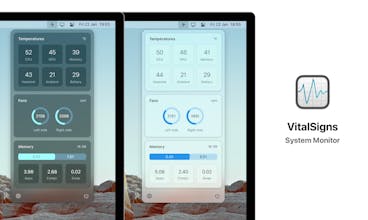
VitalSigns gallery image
Launch tags:Macβ€’Menu Bar Appsβ€’Tech
Launch Team
Unblocked AI Code Review
High-signal comments based on your team's context
Promoted

What do you think? …

Luis
Maker
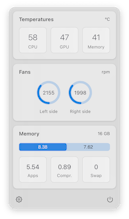
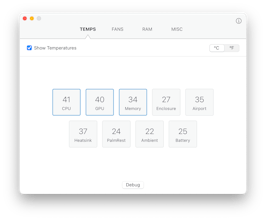
Hi there! Just wanted to introduce you to VitalSigns 3: a clean and minimalist system monitor for macOS Big Sur. I've designed it as a free alternative to other, more complex solutions. It doesn't overwhelm you with lots of system stats and variables. Instead, it focuses on the most relevant parameters: temperatures, fan speeds and memory usage. Some key features: - Fully customizable dashboard: You can configure it to show only the data you want to see. - Temperature Alerts: Get notified whenever the CPU and/or GPU exceeds a temperature limit. - Compact Mode: An even more minimalist style for small displays. - Sensor selection: for system components that have several sensors available. - Dark Mode support, auto-updates and more... VitalSigns has been around since 2015, as a Notification Center widget for macOS Catalina and earlier. Apple drastically changed the internal widget mechanics in Big Sur, so I had to re-write the app almost from scratch, and also had to move it to the Menu Bar. I'd love to hear your thoughts on this new iteration of VitalSigns. Thank you. Regards, Luis