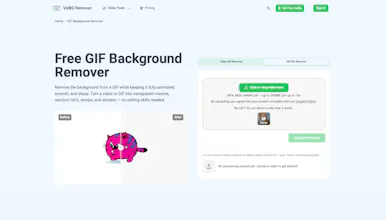
Most background removers flicker the moment your subject moves - hair, fingers, and shoulders turn into ragged edges - or they're buried inside an editing suite that wants a monthly fee. VidBG Remover does one thing: upload any clip (MP4/MOV/WebM), and the AI carves out the subject frame by frame with stable edges, then exports a true alpha-channel video as WebM (VP9) or MOV (ProRes 4444) - ready to drop straight into Premiere, DaVinci, or CapCut. Film once, composite anywhere.

No reviews yetBe the first to leave a review for VidBG Remover
Maker
📌
Hey Product Hunt! 👋
I work in content creation, and every now and then I need to put a video together. Here's the thing: I don't have a green screen, and I definitely don't have the budget to shoot against a perfect background every time. So a background remover is exactly what I reach for.
But the options out there either gave me flickering, ragged edges the moment someone moved - or they wanted to lock me into a subscription for a feature I only use occasionally.
That's why I built VidBG Remover. One tool, one job: remove the video background, keep the subject clean, and stay out of your way.
The edges stay stable frame by frame, so hair, fingers, and shoulders look natural even in motion. And it exports real transparency - a true alpha channel as WebM (VP9) or MOV (ProRes 4444) - not a green-screen fill. You can drop the result straight into Premiere, DaVinci, After Effects, or CapCut.
Whether you're a talking-head creator recording in a cluttered room, an e-commerce seller filming a model once to composite into fifty scenes, or just someone pulling a character out of a movie for a meme - it's built for that.
It runs on credits, not subscriptions. You only pay for the seconds you actually process. Trim the clip first, process only what you need.
I'd love for you to try it and tell me what you think - what footage you threw at it, where the edges held up, and where they didn't. Feedback welcome!
Happy editing! 🎬
Report
One thing I'd love to see is a batch queue, so I can line up a dozen clips overnight and wake up to all the alpha-channel exports ready to drop into my timeline. The current single-upload flow is solid, but anyone cutting episodic content or YouTube shorts ends up babysitting the page for way too long.
Report
Maker
@hakani8ik Thanks! That's a really valuable suggestion. Batch processing is definitely on our roadmap—it would make a huge difference for creators working through lots of clips. I've added it to our feature list, and we'll be looking into it soon. Really appreciate you taking the time to share this! Feedback like this is exactly what helps us prioritize what to build next.
One thing I'd love to see is a batch queue, so I can line up a dozen clips overnight and wake up to all the alpha-channel exports ready to drop into my timeline. The current single-upload flow is solid, but anyone cutting episodic content or YouTube shorts ends up babysitting the page for way too long.
@hakani8ik Thanks! That's a really valuable suggestion. Batch processing is definitely on our roadmap—it would make a huge difference for creators working through lots of clips. I've added it to our feature list, and we'll be looking into it soon. Really appreciate you taking the time to share this! Feedback like this is exactly what helps us prioritize what to build next.