Achieve more in your day with the power of voice. • Keep your day organized with the Day Planner. • Work efficiently to 3 Clocks with the Productivity Timer. • Take a rest while working with a screen with the Screen Timer. • Take 5 day challenges.
🖐 Hey everyone,
We are excited to introduce the Productivity Boosting Alexa Skill - Uplift Efficiency.
Firstly we thank our hunter @chrismessina
• After hours of hard work we at Somizu built Uplift Efficiency, our first Alexa Skill.
• Smart speakers and Voice Apps have gained popularity in the past months and now are really common.
• There are over 100K Alexa skills in the Alexa skill store which bring solutions to many problems we face in our day today lives.
• But we didn't discover a productivity Alexa skill that would help you achieve more from your day.
• Although there are many productivity tools as mobile apps and websites the fact there wasn't any voice controlled productivity tool urged us to build Uplift Efficiency.
𝗪𝗵𝗮𝘁 𝗶𝘀 𝗨𝗽𝗹𝗶𝗳𝘁 𝗘𝗳𝗳𝗶𝗰𝗶𝗲𝗻𝗰𝘆? 🙋♂️
• It's an Alexa skill which can be controlled with only your voice. Uplift Efficiency has many productivity boosting features to help you make your day more efficient.
𝗛𝗼𝘄 𝘁𝗼 𝘂𝘀𝗲 𝘁𝗵𝗲 𝘀𝗸𝗶𝗹𝗹? 🙋♂️
• You can visit the Alexa skill store through the Alexa app or Amazon and enable the skill - Just click the Amazon link above.
• Then allow permissions for reminders, we need this to set productivity timers, screen timers etc.
• After enabling the skill just say "Alexa, open Uplift Efficiency" and you're ready to go...
𝗪𝗵𝗮𝘁 𝗮𝗿𝗲 𝘁𝗵𝗲 𝗙𝗲𝗮𝘁𝘂𝗿𝗲𝘀 𝗮𝘁 𝗨𝗽𝗹𝗶𝗳𝘁 𝗘𝗳𝗳𝗶𝗰𝗶𝗲𝗻𝗰𝘆? 🙋♂️
𝗗𝗮𝘆 𝗣𝗹𝗮𝗻𝗻𝗲𝗿 📅
◽ Add tasks in your typical day and organize your day. Edit the times and tasks at any time you want.
◽ Then set reminders to the tasks in your day, so you'll get reminded when to begin a tasks and end it.
◽ Also refer to your day plan at anytime you want, so you'll never forget what to do next.
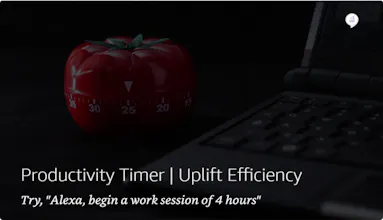
𝗣𝗿𝗼𝗱𝘂𝗰𝘁𝗶𝘃𝗶𝘁𝘆 𝗧𝗶𝗺𝗲𝗿 ⏰
◽ Select one of the 3 clocks available: Pomodoro clock, 52/17 clock and Ultradian clock.
◽ Then ask Uplift Efficiency to begin a work session of x hours.
◽ You will be reminded when to take a break and when to get back to work according to the clock you chose.
◽ This won't affect how you use Alexa, you can continue listening to music after setting up reminders.
𝗦𝗰𝗿𝗲𝗲𝗻 𝗧𝗶𝗺𝗲𝗿 ⏲
◽ Have you heard about the 20 20 20 rule?
◽ Screen Timer feature implements it to take care of your eyes while you work with screens for a long time.
◽ By asking Uplift Efficiency to set a screen timer of x hours, you'll be reminded every 20 minutes to take a 20 second break to look far into something which is over 20 feet away.
◽ This won't affect how you use Alexa, you can continue listening to music after setting up reminders.
𝗖𝗵𝗮𝗹𝗹𝗲𝗻𝗴𝗲𝘀 💪
◽ 5 Day challenges to boost your productivity.
◽ Currently you can select the sleep challenge and the leisure challenge. You will be reminded on 5 consecutive times to do the task that we tell you.
◽ The sleep challenge has tasks life: Have a hot bath, drink a cup of hot tea etc. allocated on different days.
𝗣𝗿𝗲𝗺𝗶𝘂𝗺 🥇
◽ The premium version of Uplift Efficiency allows you to create up to 4 accounts from the same device.
◽ Also the Challenges feature is only available for premium users.
◽ When setting up reminders, premium users receive customization like extended breaks etc.
◽ Premium can be purchased through the Alexa skill itself by saying, "Alexa, purchase premium."
𝗢𝗳𝗳𝗲𝗿𝘀
• It's the launch day and we're having a give away.
• Purchase Uplift Efficiency premium and enter the give away from the Uplift Efficiency Website.
• Find out more at our website.




Uplift Efficiency