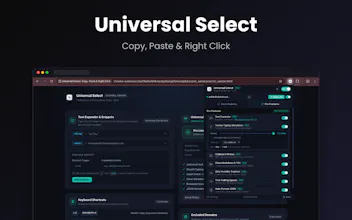
Hate websites that block right-click, stop text selection, or disable pasting? Universal Select restores your browser freedom while packing a full productivity suite: • Smart Context Menu: Dark/light menu with link & page navigation • Typing Simulation: "Paste as Typed" for blocked form fields • Text Expander: Expand shortcuts (:email, :sig) anywhere • In-Page Clipboard History (Ctrl+Shift+H) • 1-Click Overlay & Paywall Backdrop Zapper 100% private, zero telemetry, local-first.
Hey Product Hunt community!
I am the maker of Universal Select.
We have all experienced the frustration of visiting a website—whether it is a banking portal, documentation site, code platform, or web form—only to find that text selection is disabled, right-click is blocked, or pasting via Cmd+V is actively prevented.
Most "enable right click" extensions out there are either outdated, break modern JavaScript Single-Page Apps (React, Angular, Vue, Shadow DOM), or ask for intrusive permissions.
I built Universal Select to fix this once and for all, while turning it into a complete, lightweight productivity companion:
Key Highlights:
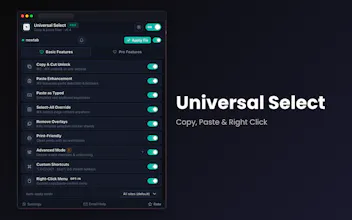
1. Universal Interaction Restore: Re-enables cursor text selection, Copy/Cut/Paste shortcuts, and right-click across all modern web apps and code editors (Monaco, CodeMirror, Ace).
2. Smart Context Menu: A sleek, theme-adaptive (Dark/Light) menu that contextually gives you link navigation (Open in Tab, Open in Window, Copy Link Address), page navigation, and instant Shift + Right-Click access to Chrome's native DevTools/Inspect.
3. "Paste as Typed" Simulation: Bypasses strict form paste blockers by simulating human typing character by character with configurable WPM speed.
4. Text Expander: Set custom shortcuts like :email or :sig that expand into full snippets anywhere on the web.
5. Searchable Clipboard History: Hit Ctrl+Shift+H to access your recent clips directly inside the page.
6. 100% Private and Local-First: Zero tracking, no telemetry, no remote servers, and no account registration. All data stays strictly on your device.
I would love to hear your feedback, thoughts, or feature requests! How does it fit into your daily browsing workflow?
Thank you for your support!