Launching today

Tweety
Auto-snapping screenshots and screen recording for Mac
2 followers
Auto-snapping screenshots and screen recording for Mac
2 followers
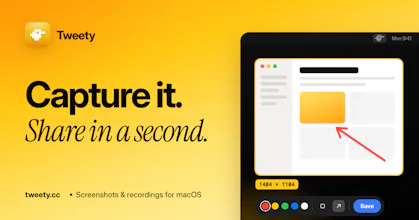
Screenshots and short screen recordings from your Mac menu bar. Smart snapping, a pixel loupe, tiny MP4s and one-click links.
Free
Launch Team

CloudflareStill paying to deploy your apps? Try Cloudflare Workers for free
Promoted
Hey! I got tired of taking a screenshot, then cropping it, then dragging the file into Figma or Slack, so I made a small macOS app that does just the part I need, as fast as possible.
How it works: press ⌥⇧4, click a highlighted window or element (or drag any area), done. The capture is copied to your clipboard, saved to a folder, or both.
What it does:
Snaps to what you mean. Hover and it outlines a single element like a sidebar or a toolbar. Scroll to step out to the whole window or the full screen.
Pixel-perfect loupe follows your cursor while you select.
Quick markup. Right-click instead of left click to open a tiny editor for arrows, boxes and notes, then Enter to save.
Screen recordings at 30 fps to small MP4s (H.264/HEVC). Video only, no audio.
Optional upload to catbox.moe that copies the link for you. Off by default.
Custom global shortcuts, PNG/JPEG, menu bar only.
Privacy and trust: no analytics in the app, nothing leaves your Mac unless you turn on uploads, signed and notarized by Apple, and updates are cryptographically signed.
👉 https://tweety.cc
Free, native Swift, macOS 14+, Apple silicon and Intel.