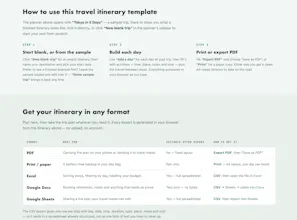
Free travel itinerary template you edit in your browser. Plan your trip day by day, no sign-up. Print it or export a clean PDF.Plan a trip day by day in your browser: activities, transit legs and costs. It opens with a finished 5-day Tokyo example you edit over, autosaves as you type, and exports to PDF or CSV. No account, no backend ā your trip never reaches a server.
No reviews yetBe the first to leave a review for Travel Itinerary Template
Maker
š
Hi Product Hunt š
I kept hitting the same wall when planning trips: search "free travel
itinerary template" and you get either a blank spreadsheet download or a
planner that wants an account before it shows you anything.
So I built the version I wanted, with one hard constraint: no backend at
all. Your itinerary lives in localStorage. There's no server that can read
your trip, no account system to build, and nothing to leak.
What's actually in it:
⢠Opens with a finished 5-day Tokyo example ā 23 activities and 7 transit
legs ā so you're editing, not staring at a blank page
⢠Transit legs are first-class: mode, route, minutes and fare between every
two stops. That's the part most templates skip, and it's how you find out
a "quick museum visit" eats half your afternoon
⢠Per-day and per-trip budget totals as you type
⢠Print / PDF export (clean A4, one day per block) and CSV export that opens
straight in Excel or Sheets, already structured ā one row per stop
The honest trade-off: clear your browser data and the trip is gone. There's
no cloud restore, because there's no cloud. That's exactly why the export
buttons exist ā they're the backup story, not a nice-to-have.
Under the hood it's 834 lines of TypeScript, zero runtime dependencies, and
about 7 KB gzipped. A few things that surprised me building it:
⢠window.confirm() is silently suppressed in some mobile WebViews ā your
destructive buttons just look dead, with no error and no console output
⢠Excel renders UTF-8 CSV as mojibake unless the file starts with a BOM; the
charset in the MIME type does nothing
⢠toISOString() shifted every exported date back a day for anyone east of
Greenwich ā it's for timestamps, not calendar dates
Free, no sign-up, no ads: https://travel-itinerary-templat...
I'd love to know what breaks it for you ā especially what you'd need before
you'd trust a planner with no cloud sync. Happy to answer anything about the
no-backend approach.