TimeOS - Ultimate Task Manager for Pro

Time Tracking, Project Management, Invoicing, Charts

28 followers

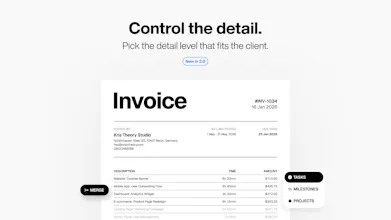
The most accurate way to report how you spent your time for yourself or your client. Choose the level of detail of the invoice. Set your hourly rate and earn money for productive, high-quality work, right inside the Notion!
TimeOS: Ultimate Task Manager for Pro gallery image
Free Options
Launch Team
Tines
Tines
The intelligent workflow platform
Promoted

What do you think? …

Kris Theory
Hello Product Hunters! Today, I glad to share TimeOS — a project born from my own experience working with clients on an hourly basis. As a huge fan of Notion, I always felt the need to manage my backlog and time within my favorite tool. TimeOS is designed to make time tracking, project management, and invoicing feel like a natural part of Notion. I built it for my own use initially, and now I’m eager to see how it can help you streamline your processes too! Key Benefits: - Understand your time investments for your projects. - View metrics and create reports daily, monthly, or for any custom range. - Create hourly-rated or custom-priced Invoices based on your tasks or projects. - Generate PDF invoices for your clients. The template is ready for Pop Invoice integration. - Enjoy intuitive time tracking. Simply drag a task from "To-Do" to "In Progress" to begin. - Use the advanced progress bar to monitor the status of all sub-items in your tasks. - Collect and organize ideas and resources directly into your projects or milestones. Use Cases: Perfect for professionals requiring precise time and task management, including freelancers, project managers, and entrepreneurs seeking to streamline their workflow, save time, and boost income.
Vitalik Kotik
I love how invoicing feature is automatically generated from tickets with time tracking . is time analytics shareable with client as well?
Kris Theory
@vitali_kotik1 Hey! I’m glad you love the invoicing feature! Yes, you can easily share time analytics with clients by exporting the data as a PDF or even giving them access to specific Notion pages for transparency.
frank petron
Wow, TimeOS seems to have hit the nail on the head for anyone juggling multiple projects and needing a streamlined way to track time without leaving Notion! As a freelancer constantly on the lookout for tools that simplify my workflow, I'm genuinely impressed by how you've integrated invoicing right where I plan my tasks. Dragging tasks to 'In Progress' to start tracking? That's genius for keeping things intuitive and efficient! I'm especially excited about the analytics and custom reporting – understanding where my hours go is crucial for refining my work process. Plus, the ability to generate professional-looking PDF invoices ready for Pop Invoice integration saves so much back-and-forth hassle. Just curious, are there any plans to integrate more invoicing platforms in the future for even broader compatibility? Also, does TimeOS have any reminders or notifications to prompt users when they've been working on a task for a set duration to prevent burnout? Huge kudos on creating a tool that not only fills a personal need but has the potential to revolutionize how many of us manage our workdays. Can't wait to dive in and see the productivity boost firsthand!
Kris Theory
@frank_petron My pleasure! 💫 I had initially planned to integrate the Magic Beans service for PDF invoices because it offered a great design and easier setup. Unfortunately, the service is no longer supported by the author, which limits what I can do with text fields, like time format inside the invoice table. If you know of any other integrations that work well with Notion, I’d love to hear about them! As for preventing burnout, I use a Pomodoro timer app like Flow alongside the TimeOS template to stay focused and avoid overworking. While Notion doesn’t currently support time-based triggers for notifications, it’s something I’m keeping an eye on as it evolves.