Team Sheets

Team Sheets

Making it easy to organise your 1v1 and team games

5 followers

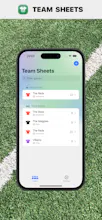
Whether you play 1v1 or you're part of a team, Team Sheets makes it easy to organise your games. Quickly add games, pick players with a swipe left or right and share the teem sheets with your friends using your favourite messaging app.
Team Sheets gallery image
Free
Launch tags:iOSProductivitySports
Launch Team
Flowstep
Flowstep
Generate real UI in seconds
Promoted

What do you think? …

Charanjit Chana
Team Sheets started as a spreadsheet I used to help picked balanced teams for my weekly game of 5-a-side football. The process was cumbersome and required more effort than it should have, but it all depended on each players availability. Once you have a game and players set up in Team Sheets, you can manage which side they belong to with just a swipe! You can optionally rate players and then use that to help balance the teams based on ability with a helpful indicator. As you play games you can log scores and it remembers who was playing and for games, players and a scores you can leave notes for referencing later. The first widget included with the app at launch shows games you have scheduled for the current day and there are over 20 sports supported. For days when there aren't any games, you'll be treated to a rest day display instead! It's not limited to team sports either, if you play 1v1 or racquet sports you can still track games and scores.