TaskPaper

TaskPaper

Plain text to-do lists for Mac

5 followers

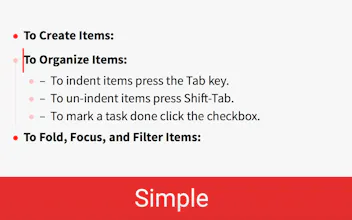
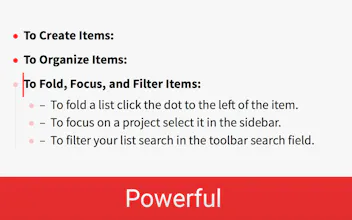
Make lists and get organized. TaskPaper is a plain text to-do list that’s surprisingly adept. Thoroughly modernized. TaskPaper 3 is all new, while still retaining the same plain text design that’s been getting things done since 2006.
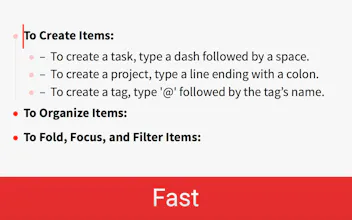
TaskPaper 3 gallery image
Launch tags:MacTask ManagementTech
Launch Team
Anima - OnBrand Vibe Coding
Design-aware AI for modern product teams.
Promoted

What do you think? …

Jesse Grosjean
Discount: TaskPaper is already 40% off this week for launch. Here's a code for an extra 10% for ProductHunters: 4F618552
Jesse Grosjean
For a little history on why I created TaskPaper: From 2001 to 2007 I created and worked on another program called Mori. My goal was to create the perfect information manager. I added all the feature that I thought I wanted, but for some reason it never worked well for me. Instead of using Mori I would find myself writing my notes and to-do's in plain text files on my Desktop. As you might guess this was a little frustrating. I tried to use Mori, but I kept going back to my text files. In the end I sold Mori, and continued to make my lists in text files. But, text files aren't perfect. My to-do list text files were always messy. Being free to make a mess is important to me, but without any structure I got overwhelmed as my lists grew large. To get more organized I started adding the simplest structure that I could think of to my lists. For each project, I typed the project name and ended that line with a colon. For each task, I Tab indented it under its project and started the line with a dash followed by a space. project 1: - task1 - task2 - task3 I typed everything else in free form and called those lines notes. That small amount of structure made a big difference. I could still be as messy as I wanted to be, but I always had this simple structure to fall back on. My lists now had a structure, even if some parts were still messy. I continued to tweak the system and turned it into TaskPaper. TaskPaper now has more tricks, but at its core it's a simple system for list making in a plain text file. — Jesse
Radoslav Stankov
Most of the time I keep a small text file with tasks, TaskPaper makes this a lot better. I was big fan of TaskPaper 2 and liking TaksPaper 3 so far :)
Jesse Grosjean
@rstankov Thanks, and great to here!
Max Savin
I'm a big fan of your products :) I have three critiques for you guys: - it would be nice if we change the color from red - it would be nice if the folding sections would be triangles instead of circle - it would be nice if there was an iOS app with storage on iCloud
Jesse Grosjean
@msavin Thanks > - it would be nice if we change the color from red I want to keep red for the icon/website/marketing. It's what I used in TaskPaper 1.0 and I just like it. But you can remove red from the actual app UI theme. Paste the following into your theme file: @tint-color: rgb(0, 122, 255); More info at: http://guide.taskpaper.com/creat... > - it would be nice if the folding sections would be triangles instead of circle I might eventually make this a theme option. I originally started with triangles, but ended up changing to circles because for me they looked cleaner. They are also for drag and drop of item, so not just folding. > - it would be nice if there was an iOS app with storage on iCloud Maybe some day in the future, but I don't have plans for that now. I'm just a single developer, and building for iOS takes a lot of extra work, and sales aren't great. (I had iOS versions before). Instead I recommend these apps for editing TaskPaper files on other platforms including iOS: http://support.hogbaysoftware.co...
Jesse Grosjean
And for a future on what's next: Issue tracker: https://github.com/hbsw/tp-issues More generally there is some question/tension about adding new features without messing up the app simplicity. For example should inline markdown formatting get added? Wouldn't hurt anything really, but does start to make the app seem more complicated.
Pedro Wunderlich
I've always loved the flexibility of using a text editor to organize my projects. The way this combines notes with tasks is pretty cool. Will give it a go for a few days and give you my feedback.
Amir
I remember testing very first dev version of TaskPaper 3. It's great to see that it's finally released. Fresh modern look is very nice indeed but I'm wondering why you haven't use new wider titlebar in Yosemite and El Capitan (like Notes.app)? Also, I was following the forum and why you've decided not to add Markdown anywhere in a plaintext but I used to Markdown very much everywhere and I feel that I still like to see it implemented. On the other hand, I see the advantages too, in this way, TaskPaper really wants to be a "TaskPaper" not *much* more and it is doing it great! Well done and congrats! 👍🏼
Jesse Grosjean
@amirmasoudabdol Yeah, I would really like to use the Notes.app style toolbar too. The problem is that TaskPaper is a document based app. And if I use that style toolbar then the window doesn't include the file icon anymore... which is used for a number of standard interactions. Eventually I'd like to reimplement those interactions in the sidebar maybe so I can have the simpler window bar. But extra work... haven't got to it yet. Not sure when I will. As far as inline Markdown, decided no for 3.0. But maybe will in the future. Still undecided.
12
Next
Last